In 2025, account bans usually aren’t caused by obvious mistakes. They happen because platforms detect inconsistent browser identities—mismatched fingerprints, unstable devices, or behavior that doesn’t align with the environment.
That’s why professional tools like Kameleo Browser exist.
Kameleo is a professional anti-detect browser that allows users to create and manage multiple, persistent browser identities that behave like real devices. This is especially useful in environments where standard browsers or headless automation tools often fail.
In this guide, we first explain what Kameleo Browser is and how it works. Then, we break down its pricing structure, discuss safety considerations, identify who will benefit most (and who might not), and finally, compare it to alternatives like Multilogin, GoLogin, and Octo Browser—all without hype or risky promises.
What Is Kameleo Browser?
Kameleo Browser is an anti-detect browser that allows you to create and manage multiple isolated browser profiles, each with its own persistent fingerprint.
Each profile is designed to behave like a separate device, with consistent attributes such as:
-
User agent and operating system
-
Canvas, WebGL, and audio context
-
Fonts, screen resolution, and hardware hints
-
Timezone, locale, and language
Instead of constantly randomizing values, Kameleo emphasizes fingerprint coherence—keeping all signals aligned and stable over time. This helps reduce detection triggered by entropy spikes or mismatched values.
How Kameleo Browser Works
Kameleo uses a local-first architecture by default. Browser profiles are created and managed on your machine rather than being entirely cloud-based.
Each profile typically includes:
-
A persistent browser fingerprint
-
A dedicated proxy or IP configuration
-
Isolated cookies, cache, and storage
-
Optional automation access via a local API
Because profiles persist across sessions, platforms see repeat visits from the same “device”, rather than a constantly changing identity.
Important: Kameleo does not include a built-in VPN. External proxies are required.
Key Features of Kameleo Anti-Detect Browser

Persistent Fingerprint Management
Kameleo prioritizes fingerprint stability over random spoofing, which helps avoid detection caused by unrealistic changes between sessions.
Desktop & Mobile Environments
-
Desktop profiles for Windows, macOS, and Linux
-
Android-based mobile environments (Kameleo Mobile) designed to closely mirror real-device behavior rather than surface-level emulation
Automation Support
Kameleo integrates with tools such as:
This makes it suitable for automation workflows where traditional headless browsers are often flagged.
Profile Isolation
Each profile is fully isolated—no shared cookies, storage, or fingerprints—supporting safer multi-account workflows.
Kameleo Mobile: Why It Matters
Mobile platforms apply different detection logic than desktop environments.
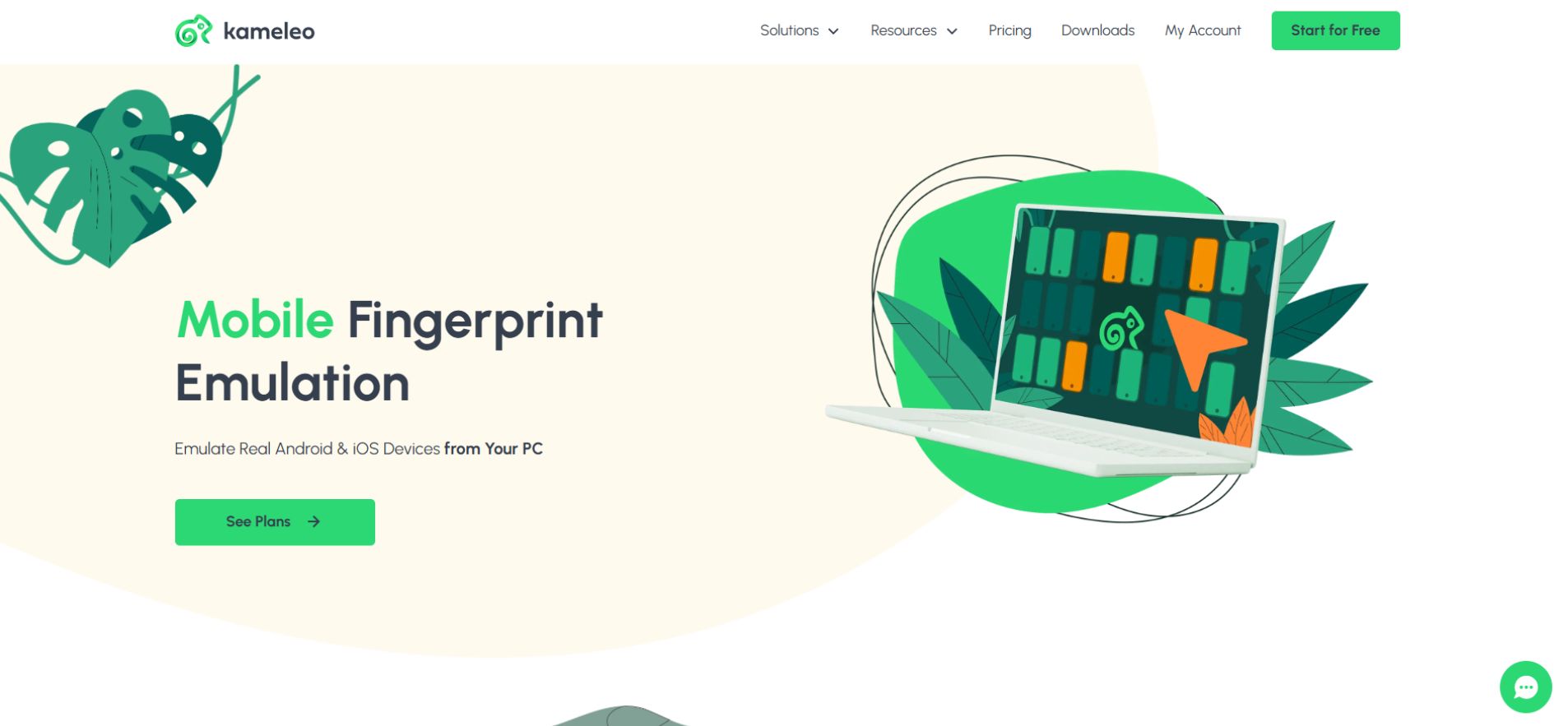
Kameleo Mobile is commonly used for:
-
Mobile ad account management
-
App and QA testing
-
Mobile-first scraping
-
Social media workflows
Micro example:
A TikTok media buyer running Android-only ad flows uses Kameleo Mobile to keep each ad account tied to a consistent mobile device profile, reducing review loops and early bans.
What Kameleo Is Commonly Used For
Kameleo is commonly used by media buyers, QA teams, automation engineers, and scraping professionals who rely on persistent browser identities.
Typical use cases include:
-
Multi-account social media management
-
Advertising account separation
-
Web scraping with session persistence
-
QA testing across device types
-
Automation workflows blocked by headless browsers
Kameleo helps reduce fingerprint-based detection compared to headless browsers, particularly for long-lived sessions. However, this is a challenge many privacy tools, including Hercules Browser, approach in different ways.
Is Kameleo Undetectable?
No. Kameleo is not undetectable, and it does not claim to be.
It can help reduce detection risk by improving fingerprint realism and consistency, but outcomes still depend on:
-
Proxy quality
-
User behavior
-
Automation patterns
-
Platform-specific rules
No tool can eliminate detection entirely.
Is Kameleo Safe to Use?
Yes. Kameleo itself is legal software.
Safety depends on how it’s used:
-
Follow platform terms of service
-
Use high-quality proxies
-
Avoid unrealistic automation speeds
-
Maintain consistent behavior
Misuse can still lead to bans, regardless of the browser. This applies not only to Kameleo but also to other tools in the space, as explained in this breakdown of Earls Browser and its real-world limitations.
Kameleo Pricing & Plan Structure (2025)
Kameleo offers public, transparent pricing with both free and paid plans, structured primarily around the number of concurrent browser profiles you can run.
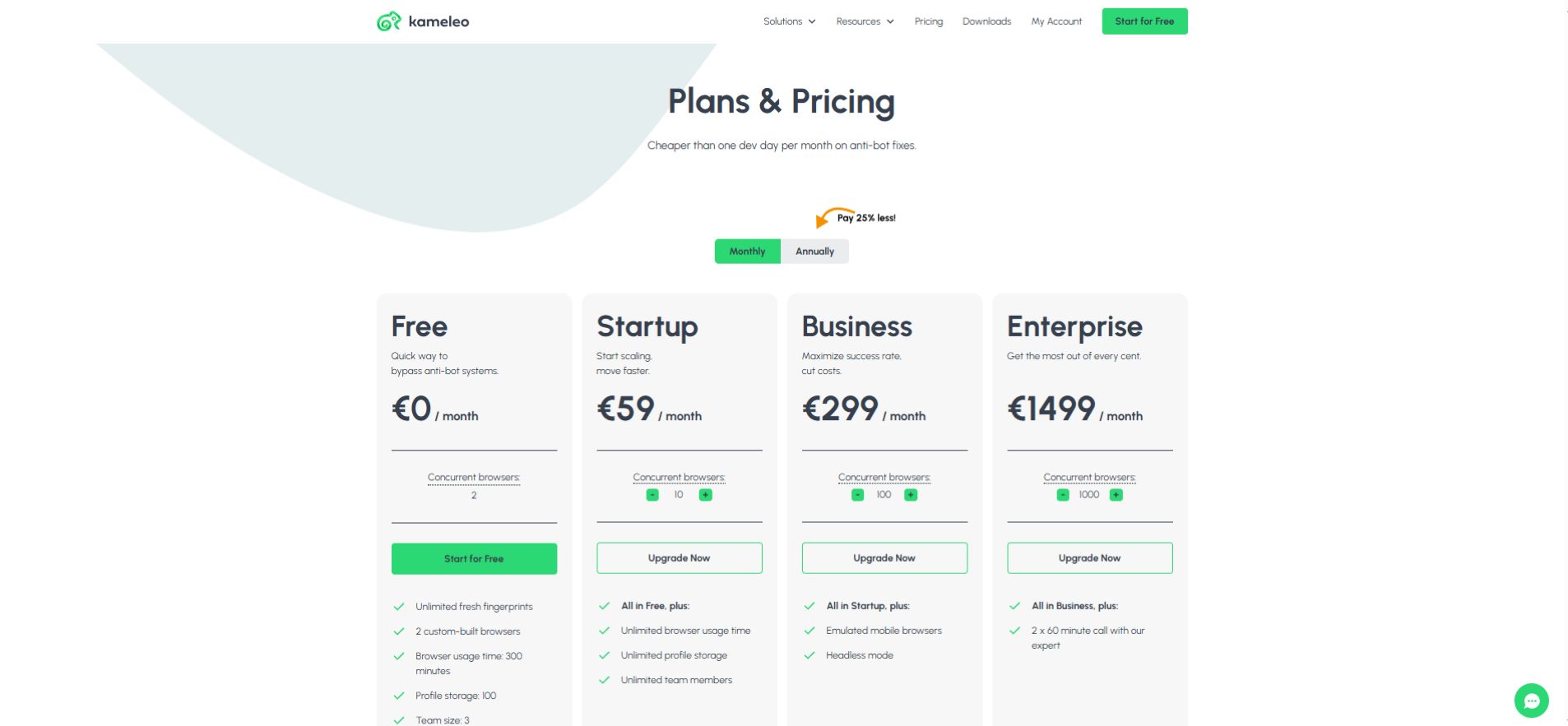
This table summarizes the core features and costs for each tier, helping you compare at a glance:
| Plan | Price (Monthly) | Concurrent Browsers | Mobile Access | Key Use Case |
| Free Access | €0 | 2 | No | Testing, evaluation, short-term usage |
| Startup | €59 | 10 | No | Solo professional or small, early-stage scaling |
| Business | €299 | 100 | Included | Media agencies, high-volume account management |
| Enterprise | €1499+ | 1000+ | Included | Large-scale automation, custom API integration |
Key Takeaway: Kameleo’s free access is sufficient for evaluation, but professional multi-account or mobile-focused work requires the Business plan or higher.
Kameleo vs Multilogin
Both tools are premium anti-detect browsers, but they serve different priorities.
Kameleo focuses on:
-
Fingerprint coherence
-
Android-based mobile environments
-
Local-first control
Multilogin focuses on:
-
Cloud-based profile storage
-
Team collaboration and permissions
-
Large-scale agency workflows
Choose Kameleo if mobile realism and fingerprint control matter most.
Choose Multilogin if centralized team scaling is your priority.
Kameleo vs GoLogin
GoLogin emphasizes simplicity and accessibility.

Kameleo is better for:
-
Advanced fingerprint management
-
Mobile-first workflows
-
Complex automation setups
GoLogin is better for:
-
Smaller teams
-
Budget-conscious users
-
Simpler multi-account needs
Kameleo trades ease of use for greater technical depth.
Kameleo vs Octo Browser
Octo Browser and Kameleo are both professional anti-detect browsers, but they’re built for different use cases.
Kameleo emphasizes:
-
Deep control over fingerprint and device signals
-
Android-based mobile environments
-
Local-first architecture
Octo Browser emphasizes:
-
Faster onboarding
-
Cloud-based profile storage
-
Team-friendly collaboration
Choose Kameleo if mobile realism or automation depth is critical.
Choose Octo Browser if team collaboration and ease of use are higher priorities.
Who Kameleo Is Not For
Kameleo may not be a good fit if you:
-
Manage only one or two accounts
-
Prefer tools that don’t require proxies
-
Need built-in cloud sharing by default
-
Are looking for a permanently free solution
Being clear about this improves trust and avoids mismatched expectations.
Common Mistakes New Users Make
-
Using low-quality or shared proxies
-
Changing fingerprints too frequently
-
Mixing desktop and mobile behaviors
-
Over-automating actions
-
Expecting the browser alone to prevent bans
Anti-detect browsers reduce risk—they don’t replace strategy.
FAQs
Q. What is Kameleo Browser used for?
Kameleo Browser is used to manage multiple browser identities with persistent, isolated fingerprints for testing, automation, and multi-account workflows.
Q. Is Kameleo used for web scraping?
Yes. Kameleo is commonly used for web scraping when fingerprint-based detection blocks headless browsers, especially for session-persistent or login-based tasks.
Q. Does Kameleo offer free access?
Kameleo provides limited free or trial access intended for evaluation and testing; sustained or professional use requires a paid subscription.
Q. Is Kameleo legal to use?
Yes. Kameleo is legal software, but users must comply with platform terms of service and applicable local laws when using it.
Q. Does Kameleo include a built-in VPN?
No. Kameleo does not include a built-in VPN, and users must connect external residential or mobile proxies.
Q. Is Kameleo better than Octo Browser?
It depends on the use case. Kameleo offers deeper mobile and automation control, while Octo Browser focuses on usability, cloud profiles, and team collaboration.
Final Verdict: Is Kameleo Browser Worth It?
Kameleo Browser is a serious, professional anti-detect tool built for users who understand that detection is about consistency, not shortcuts.
It’s best suited for:
-
Mobile-focused workflows
-
Fingerprint-sensitive platforms
-
Advanced automation and testing
However, Kameleo targets professionals rather than casual users, making it one of the strongest anti-detect browsers available in 2025.
Related: Shadow Browser (2025): Proxy Safety Warnings & Shadow PC Guide
| Disclaimer: This article is for informational and educational purposes only. We do not have any affiliation with Kameleo or the companies mentioned. Features, pricing, and availability may change over time, so always verify details directly with the official provider. Users must comply with platform’s terms of service and local laws when using any anti-detect or automation software. |