If you’re seeing the path inurl:/editor/filemanager/browser/ in Google search — especially pointing to your own website — it’s more than a curiosity. It’s a possible security risk. This URL pattern is commonly associated with old, unpatched installations of FCKeditor, CKEditor, or similar file-manager components that were bundled into many CMS systems between 2007–2013.
Today, those components are outdated, unsupported, and widely abused by automated bots. When they’re still accessible on a live website in 2025, Google often indexes them — and attackers use Google queries (known as “Google dorks”) to find these exposed file managers.
So the search inurl:/editor/filemanager/browser/ usually means one thing:
Your server may be exposing a file upload interface without proper authentication.
This article explains what the path means, why it appears in Google, how to check whether your site is vulnerable, and the exact steps to fix it. We also break down real-world examples, 2025 security best practices, and the common mistakes that keep this vulnerability alive.
Whether you’re a website owner, developer, or agency, this guide gives you everything you need to detect, mitigate, and permanently close this exposure.
| What does inurl:/editor/filemanager/browser/ mean? It means your website is likely exposing an outdated FCKeditor or CKEditor file manager directory. These folders allow public access — and sometimes file uploads — which makes them a major security risk. If this path appears in Google, you should delete or block the directory immediately. |
What inurl:/editor/filemanager/browser/ Actually Means
This path is strongly associated with legacy versions of:
- FCKeditor file manager (pre-2010)
- CKEditor with built-in file browser
- Third-party CMS modules embedding the old file manager
- PHP-based admin tools shipped with ancient templates/plugins
Why Google indexes these URLs
Google crawls everything it can access publicly.
If it indexed this path, it means:
✔ The directory is public
✔ No authentication was required
✔ No robots.txt block is present
✔ No server-side security rules are active
In short:
The file manager is exposed to the public internet.
That is the core risk.
Why Attackers Actively Search This Path (2025 Threat Reality)
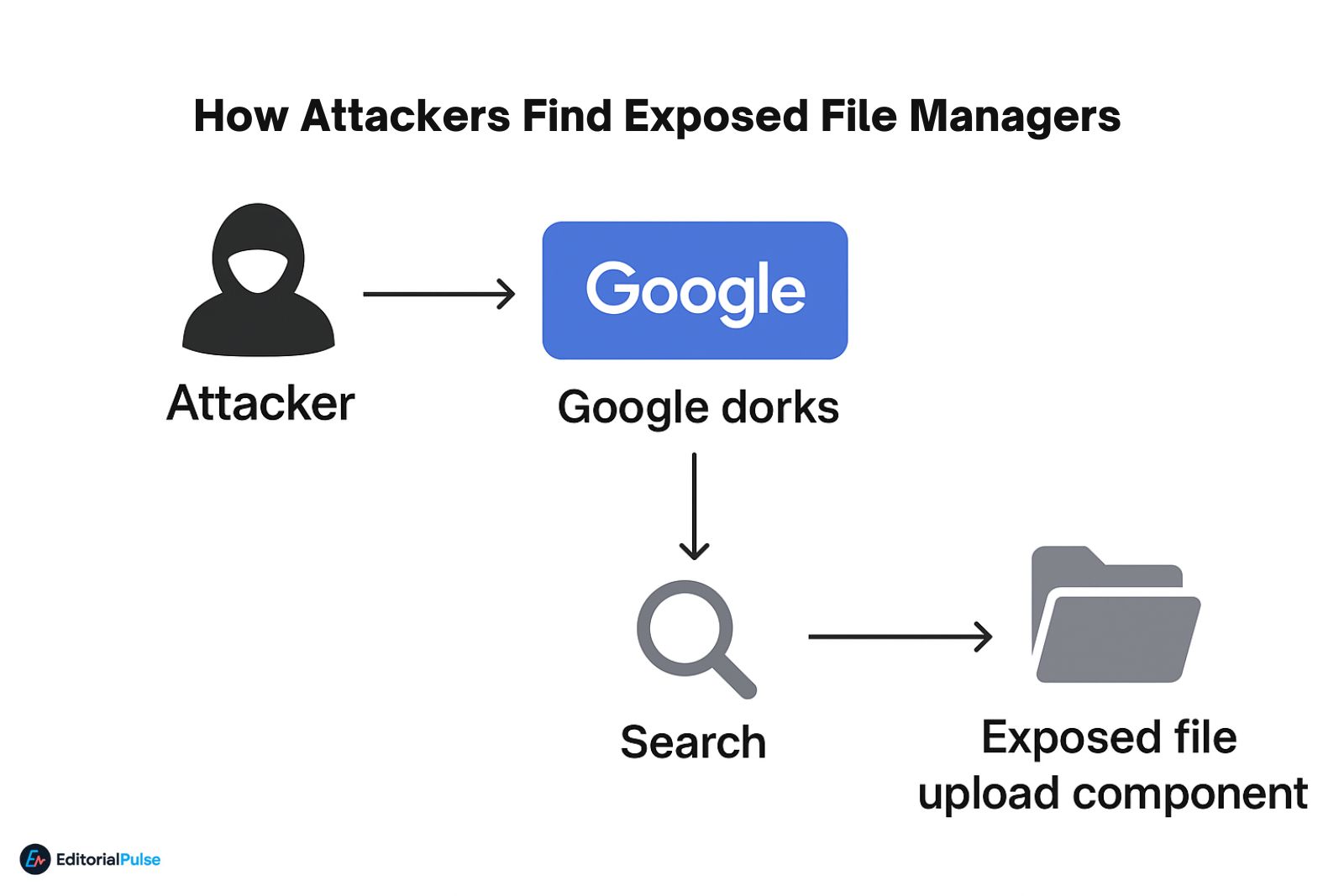
Attackers love this URL because outdated file managers usually allow:
- Direct uploads of PHP shells
- Upload of arbitrary files
- Overwriting of site files
- Directory traversal
- Server poisoning
Even when upload screens look harmless, older versions used weak validation, meaning attackers could disguise malicious files as images.
Why bots target it automatically
These paths are in thousands of GitHub exploit lists and Shodan scripts.
Automated scanners now:
- Crawl websites for this exact directory
- Try uploading test files
- Attempt remote code execution
- Collect vulnerable URLs for resale
This vulnerability is still actively exploited in 2025.
How to Check Whether YOUR Website Is Exposed (Simple 30-Second Test)
Step 1: Search your domain
Type this into Google:
site:yourdomain.com inurl:/editor/filemanager/browser/
If results appear → your site is publicly exposing the directory.
Step 2: Try visiting the URL manually
Go to:
yourdomain.com/editor/filemanager/browser/
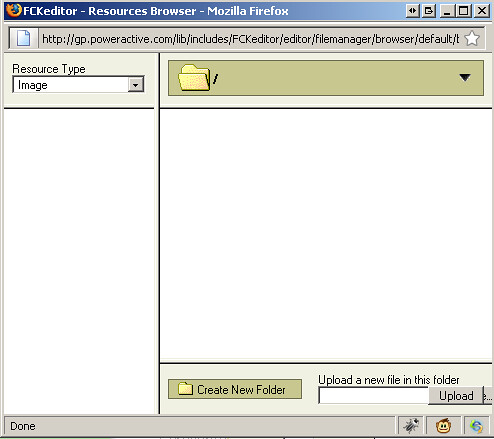
If you see:
- an upload button
- a file listing
- FCKeditor UI
- CKEditor browser window
…your site is exposed.
Step 3: Check whether file upload is allowed
Upload any harmless image, e.g. test.png.
If it works → your site allows unauthenticated uploads.
This must be fixed immediately.
Why This Vulnerability Still Appears in 2025 (Root Causes)
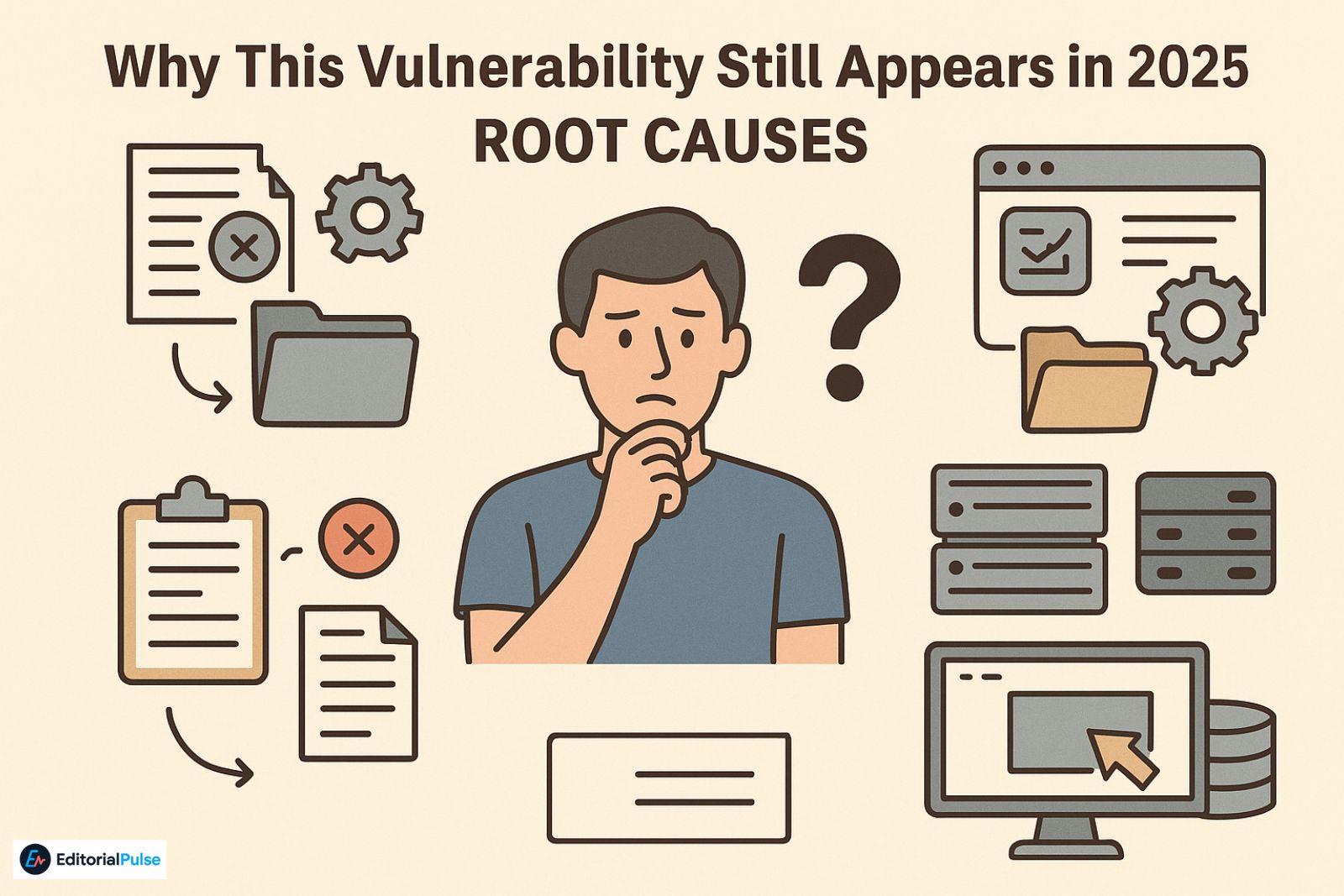
- Old CMS installations never upgraded
Legacy Joomla/Drupal/ModX/PHP apps often still contain these folders.
- Developers forgot to delete sample folders
FCKeditor used to ship with a demo file manager folder.
- Plugins bundled outdated file manager modules
Many WordPress extensions did this until 2014.
- Agencies cloned a site template repeatedly
Same vulnerable folder repeated across dozens of client sites.
- Migration oversights
Developers move the site… but forget to clean old directories.
How to Fix inurl:/editor/filemanager/browser/ Exposure (Fast + Permanent)
1. Delete the old directory (most reliable fix)
Remove the folder:
/editor/filemanager/browser/
/fckeditor/editor/filemanager/browser/
/assets/fckeditor/editor/filemanager/browser/
Old FCKeditor file managers are not needed anymore.
Modern CMS editors use safe, updated components.
2. Disable directory access via .htaccess
Add:
Deny from all
This instantly kills public access.
3. Enable server security rules (ModSecurity / Nginx hardening)
Recommended rules:
- Block file uploads in non-authorized directories
- Block PHP execution in uploads folders
- Disable listing indexes
4. Replace the old editor with a modern version
Upgrade to:
- CKEditor 5
- TinyMCE (latest)
- Quill editor
These remove legacy file managers entirely.
5. Use a secure file upload plugin instead
Examples:
- Filestack
- Uploadcare
- Cloudinary upload widgets
Cloud-based upload systems offload risk.
2025 Security Checklist for File Upload Safety
- All upload endpoints must require authentication
- Only allow whitelisted file types
- Enforce MIME-type verification
- Scan uploads with ClamAV or commercial AV
- Store uploads outside public directories
- Disable PHP execution in upload folders
- Log all upload attempts
This reduces almost all file upload attack vectors.
Common Mistakes That Make This Worse
- ❌ Leaving the folder in place because “nobody will find it”
Attackers find everything. - ❌ Renaming the directory but not securing it
Google will still index it. - ❌ Blocking the folder only in robots.txt
Robots.txt does NOT provide security.
Attackers ignore it. - ❌ Thinking “but the site isn’t popular”
Bots attack everything — even tiny blogs.
Case Study: Business Website Exposed for 7 Years
A regional non-profit discovered that their FCKeditor file manager was accessible since 2018.
Attackers uploaded:
- spam .txt files
- hidden redirect scripts
- SEO link injections
The site wasn’t defaced, but it suffered:
- SEO penalties
- spammy outbound links
- constant crawling
- increased server load
Removing the folder instantly restored stability and the site recovered Google rankings over the next 45 days.
FAQs
Q1. What does “inurl:/editor/filemanager/browser/” mean in Google search?
This URL pattern usually indicates that a website is exposing an old FCKeditor or CKEditor file manager directory. These folders were bundled with older CMS installations and are not meant to be publicly accessible. When Google indexes them, it often signals a security risk because the directory may allow unauthorized file uploads.
Q2. Why is the /editor/filemanager/browser/ directory dangerous?
Outdated file manager folders sometimes contain upload interfaces with weak validation. Attackers use automated scanners to find these paths and attempt to upload malicious files. Even if the upload feature looks harmless, older validation methods can be bypassed, making this directory a common exploitation target.
Q3. How can I check if my site has an exposed file manager?
Search Google using:
If results appear, the directory is publicly accessible. You can also manually visit yourdomain.com/editor/filemanager/browser/ to confirm whether a file listing or upload interface is visible.
Q4. What should I do if Google indexed this directory?
Immediately remove or block access to the folder. You can delete the entire directory, restrict it using .htaccess rules (e.g., “Deny from all”), or upgrade your CMS/editor to a modern version that no longer includes the old file manager.
Q5. Can blocking this URL in robots.txt fix the issue?
No. Robots.txt does not provide security. It only tells search engines not to index a path, but it does not prevent attackers, bots, or scanners from accessing it. The directory must be removed or protected server-side.
Q6. Is FCKeditor still safe to use in 2025?
No. FCKeditor has been discontinued for years. Its old file manager modules are vulnerable, unsupported, and incompatible with modern security standards. Websites still running them should upgrade to CKEditor 5, TinyMCE, or another actively maintained editor.
Q7. Why does Google still index these outdated file manager folders?
Google indexes any directory that is publicly accessible and not blocked by server rules. Many websites migrated from older CMS systems but never removed leftover demo folders, sample file managers, or developer tools — so Google continues to crawl them even though they pose security risks.
Q8. How do attackers find these file manager paths?
They typically use automated scanners, exploit lists, or Google search parameters that identify publicly exposed directories. Once found, bots test upload endpoints or attempt to execute malicious files. This is why these directories must be removed or locked down.
Final Words
If Google indexes inurl:/editor/filemanager/browser/, it’s a strong indicator that your website is exposing an old file manager component — usually FCKeditor or CKEditor. These directories are not needed in modern websites, and leaving them accessible creates a real risk of file-upload attacks.
The fix is simple: remove the directory, block access, update your editor, and harden your server. This vulnerability still appears in thousands of sites in 2025, mostly due to old migrations and forgotten folders.
By taking action today, you prevent attackers from using this public entry point and protect your website long-term.
Related: Learn-Duck.web.app (2025 Guide): What It Is & How to Use It Safely