If you keep hearing about Earls Browser on TikTok, Reddit, or from friends at school, you’re not alone. For months, students have been searching for it hoping to find a “secret browser” that can open blocked sites on school computers.
But here’s the strange part:
- There’s no official website
- No known developer
- No verified version history
- And no legitimate download source
So… what exactly is Earls Browser?
This guide gives you the real 2025 explanation, the safety facts no one else talks about, why it stopped working on school networks, and the best safe alternatives.
What Is Earls Browser?
Most people assume Earls Browser is:
- a lightweight web browser
- a Chrome-style app
- or a hidden “school-safe” browser
But none of this is true.
Earls Browser is NOT a real browser.
It’s part of a category known as shadow browsers — basically proxy servers disguised as browsers. They look like Chrome, but everything you do is actually being routed through a remote server that rewrites and relays the webpage back to you.
Why Students Think It Works
It feels convincing because:
-
It shows a Chrome-like interface
-
It can open blocked sites — temporarily
-
TikTok creators hype it as a “secret browser”
-
Some versions work for a few hours before going offline
But that’s also the core problem:
These tools break constantly because school networks update filters faster than shadow browsers can hide.
How Earls Browser (and Similar Tools) Actually Work
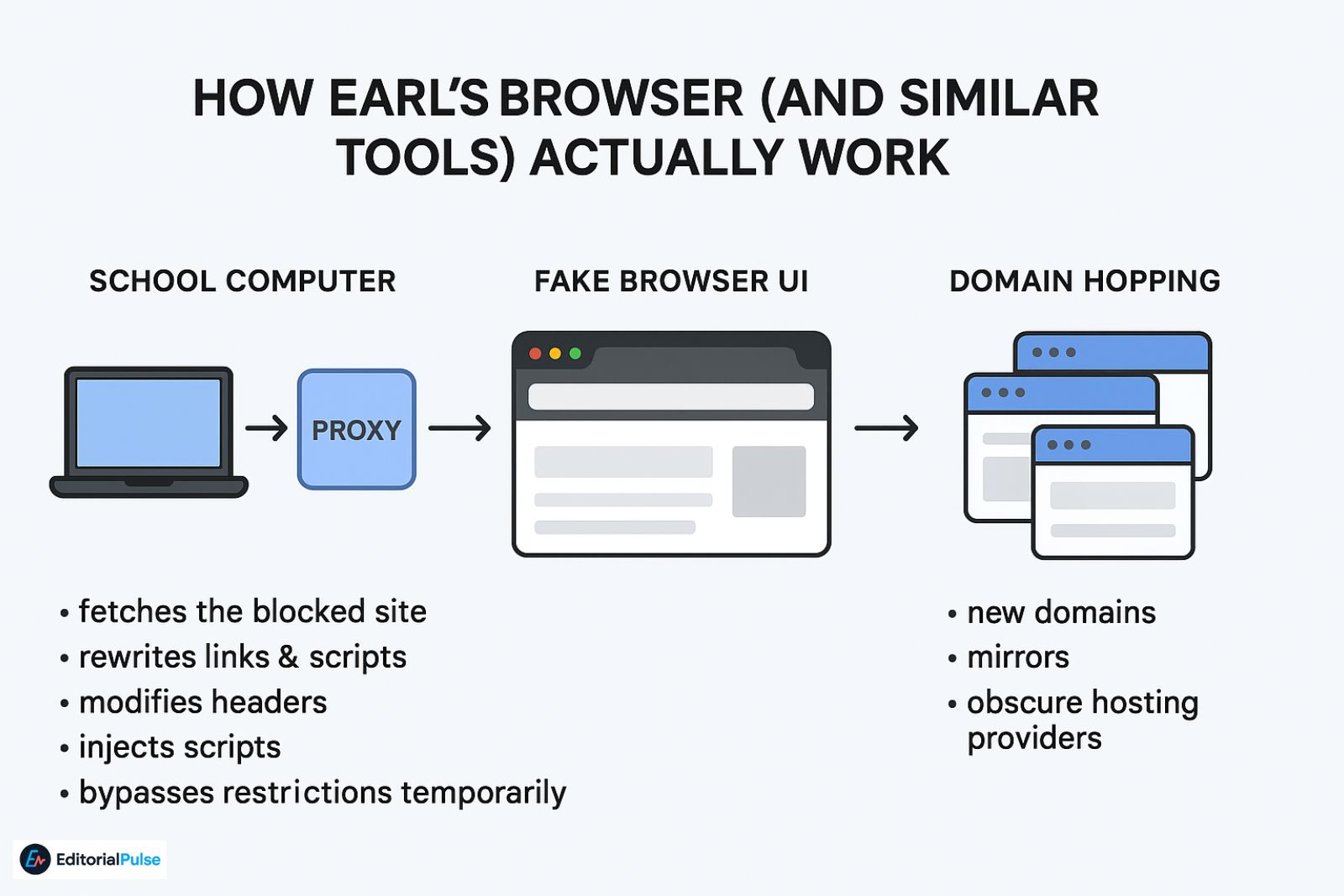
Let’s break this down simply. Shadow browsers like Earls, Leaf, Finite, and Hercules all follow the same pattern:
1. Request-Rewriting Proxy
Your school computer connects to the proxy server.
The proxy:
-
fetches the blocked site
-
rewrites links & scripts
-
modifies headers
-
injects scripts
-
bypasses restrictions temporarily
You’re not browsing directly — you’re looking at a mirrored, rewritten version.
2. Fake Browser UI
They copy Chrome’s design and embed it into an iframe so it feels like a real browser.
3. Domain Hopping
When one URL gets blocked, they move to:
-
new domains
-
mirrors
-
obscure hosting providers
This makes them stay alive a little longer — but not long enough to be reliable.
Why Earls Browser Breaks So Quickly
Modern school systems use advanced filtering:
-
SSL inspection (sees encrypted traffic patterns)
-
AI-based proxy detection
-
Cloud-level pattern recognition
These firewalls detect “proxy-like behavior” even if they don’t recognize the exact domain.
That’s why nearly every proxy browser stops working after a few days or weeks.
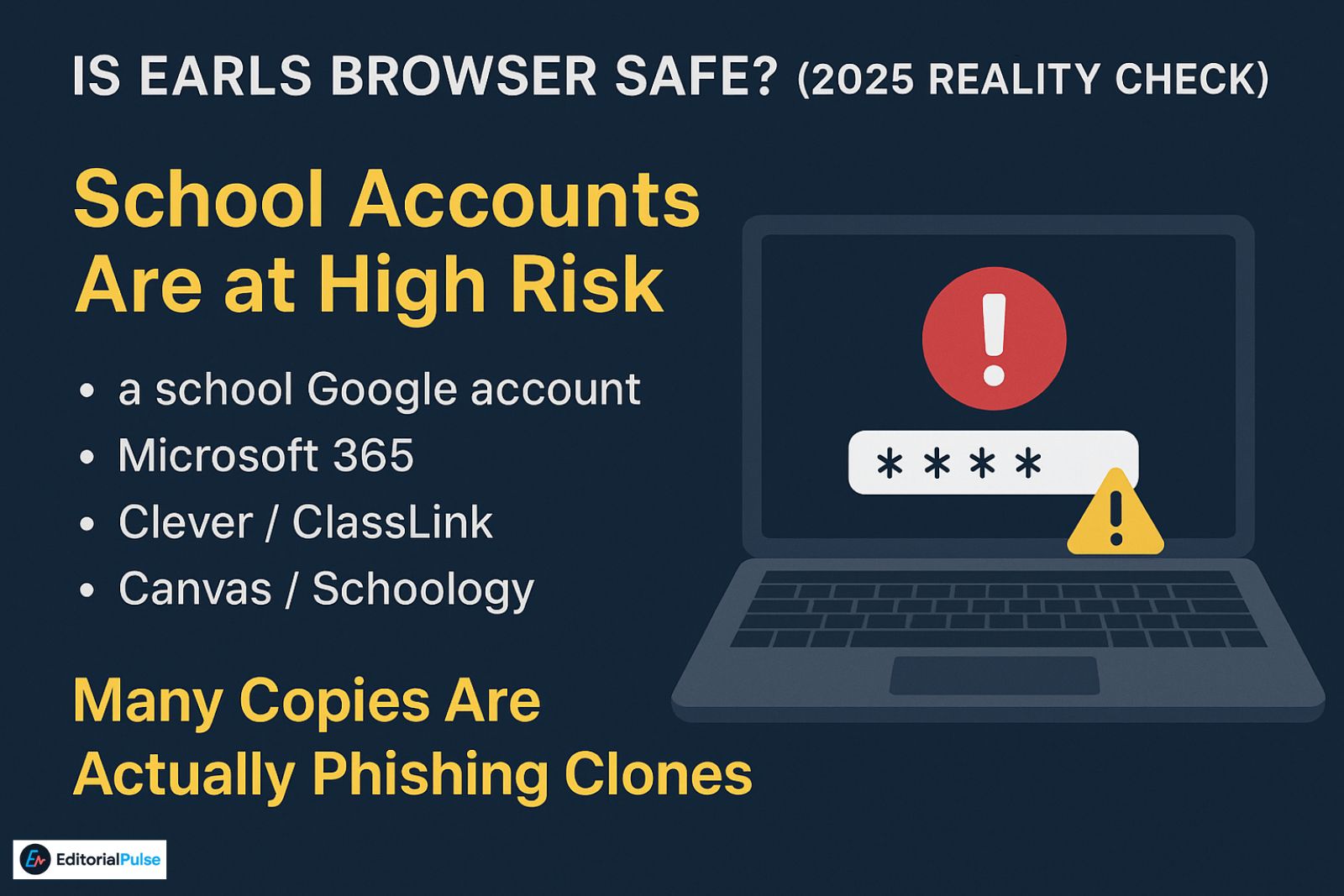
Is Earls Browser Safe? (2025 Reality Check)
Short answer: No — not for anything involving logins or personal data. Here’s why.
1. The Proxy Can Read Everything You Type
Because all traffic goes through their server, the operators can see:
-
passwords
-
Google logins
-
Microsoft logins
-
messages
-
emails
-
school assignments
-
browsing history
You don’t know who runs the server or what they collect.
2. Zero Transparency
Unlike real browsers (Chrome, Firefox, Edge, Brave), shadow browsers:
-
have no listed developers
-
publish no source code
-
have no update logs
-
have no security documentation
-
provide no privacy policy
You have no auditability or trust.
3. Many Copies Are Actually Phishing Clones
Because the original domain gets blocked frequently, scammers:
-
copy the UI
-
steal the name
-
host lookalike versions
You might think you’re using “Earls Browser”…
but you’re actually typing into a random person’s proxy.
4. School Accounts Are at High Risk
Logging in with:
-
a school Google account
-
Microsoft 365
-
Clever / ClassLink
-
Canvas / Schoology
…means your credentials could be captured instantly.
Also check: Is Wave Browser Safe in 2025? Full Investigation & Removal Guide
Who Created Earls Browser? (The Honest Answer)
No one knows.
There is:
-
no official developer listed
-
no GitHub repository
-
no company behind it
-
no verified creator page
-
no documentation
-
no public ownership
Its origins are completely unclear — which makes trusting it even riskier.
All versions circulating today appear to be community-made proxies, many of which are clones of each other.
No credible source has ever confirmed who built the first version.
Why Schools Blocked Earls Browser (2024–2025)
School networks changed dramatically in the last 18 months.
1. AI-Based Blocking
Firewalls now detect proxy behavior automatically — not just URLs.
2. Zero-Trust Security
Unknown websites = unsafe by default.
3. SSL/HTTPS Inspection
Even encrypted data patterns can reveal proxy usage.
4. TikTok Trend Detection
Firewalls now track trending bypass tools.
TikTok hype → mass usage → automatic flag → block.
Earls Browser followed this exact pattern.
Earls Browser Alternatives (Unsafe, Proxy-Based)
These belong to the same category as Earls. We do NOT recommend using any of these for logins.
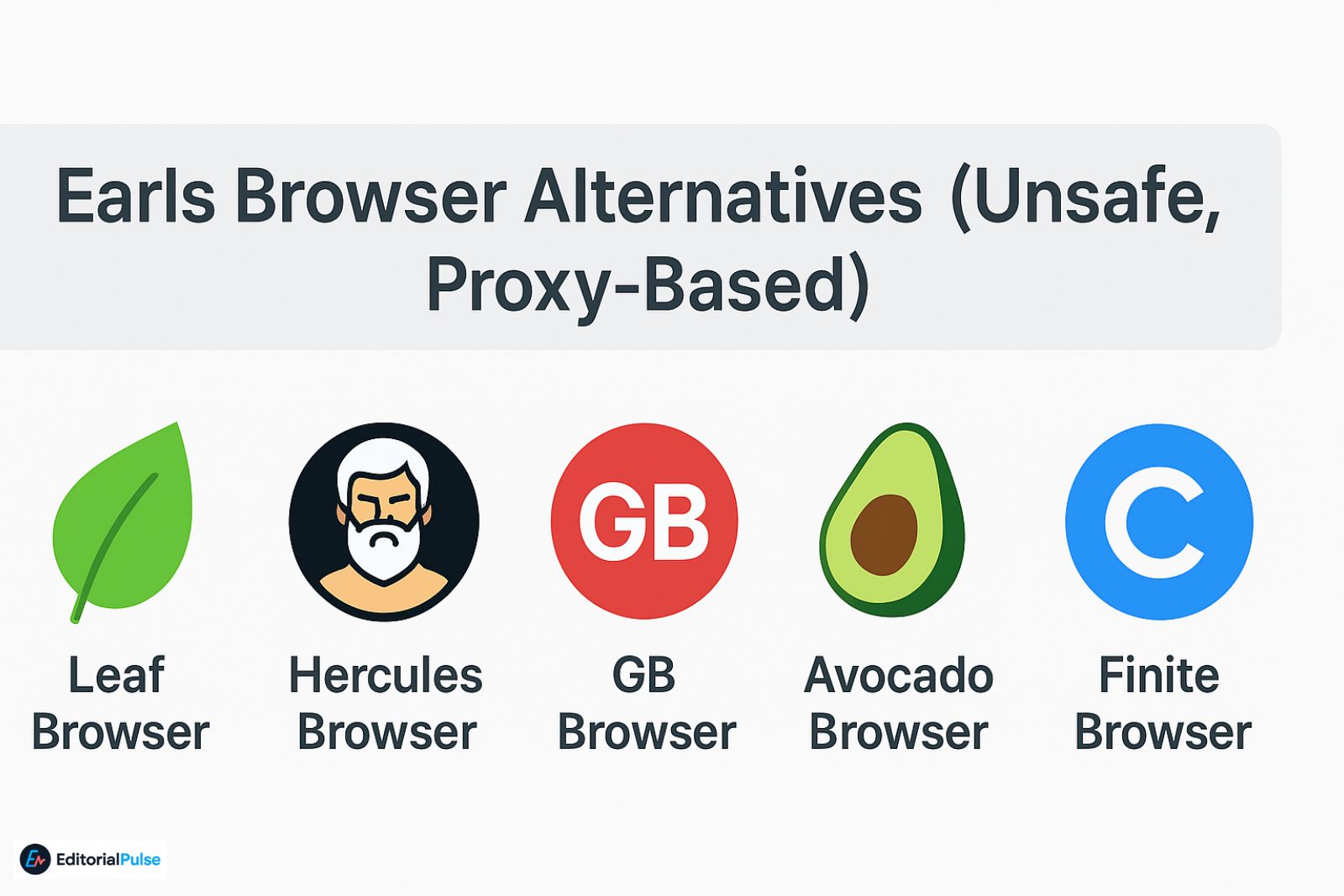
1. Leaf Browser
Popular, but almost always blocked now.
Same tech → breaks often.
3. GB Browser
Lightweight → short lifespan.
4. Avocado Browser
Proxy wrapper → unstable.
5. Finite Browser
Newer clone → highly unreliable.
All of them share the same risks.
Safe, Legitimate Alternatives (Non-Proxy)
If you actually want:
-
fewer distractions
-
more speed
-
better privacy
-
a cleaner browsing experience
These are the correct tools.
1. Brave Browser
Strong privacy, built-in tracker protection.
2. Firefox + uBlock Origin
Highly customizable, open-source, safe.
3. Opera GX
Great for students — performance and network controls.
4. Microsoft Edge (Enhanced Security Mode)
Strong security and stability on school devices.
Curious whether Orion Web Browser has finally matured into a true Chrome and Safari alternative in 2025? Read our full Orion Browser Review 2025 to see how it compares on speed, privacy, and real-world usability
Myths About Earls Browser
- ❌ Myth: “It’s a real browser.”
✔ Truth: It’s a proxy disguised as a browser. - ❌ Myth: “If it works, it’s safe.”
✔ Truth: Proxies can capture every keystroke. - ❌ Myth: “It bypasses every school filter.”
✔ Truth: Modern filters block it extremely fast. - ❌ Myth: “Other browsers like it are safe.”
✔ Truth: All shadow browsers share the same risks.
2025 Checklist: How to Spot a Dangerous Proxy Browser
If you see this:
✔ Fake Chrome UI
✔ No official developer
✔ Random subdomains
✔ Promoted mainly on TikTok
✔ Not in Chrome Web Store
✔ Redirects through multiple servers
✔ Opens blocked sites instantly
✔ No privacy policy
…it’s almost certainly unsafe. Earls Browser hits all 8.
FAQs
Q1. What is Earls Browser?
Earls Browser is not a real browser. It’s a shadow browser — a web proxy disguised to look like Chrome. Because it reroutes your traffic through an unknown server, there’s no official website, no verified developer, and no published documentation. This is why schools and security tools classify it as unsafe.
Q2. Is Earls Browser safe to use?
No. Earls Browser is unsafe for anything involving logins, personal data, or school accounts. Since all traffic goes through a remote proxy, whoever controls the server can technically view passwords, emails, Google/Microsoft logins, and browsing activity. It has none of the transparency or protections found in real browsers.
Q3. Why is Earls Browser blocked on school computers?
Schools block Earls Browser because modern AI-based firewalls can detect proxy behavior even when the domain changes. Tools like Earls, Leaf, and Hercules trigger patterns linked to circumvention, encryption masking, and traffic rewriting. As soon as these patterns appear, school networks automatically block them.
Q4. Are there safer alternatives to Earls Browser?
Yes. If you want a secure, legitimate browser, options like Brave, Firefox, Opera GX, and Microsoft Edge Secure Mode are safer. They offer real privacy protections, transparent security policies, and regular updates — unlike proxy-based tools such as Earls Browser or Leaf Browser.
Q5. Does Earls Browser still work in 2025?
Only temporarily. Most versions of Earls Browser stop working after a few days or weeks because their domains get flagged and blocked. Since it relies on proxy mirrors that constantly rotate, uptime is unpredictable, and many clones that appear are unsafe or malicious.
Q6. Is Earls Browser available in the Chrome Web Store?
No — the TikTok version of Earls Browser is not in the Chrome Web Store. A completely unrelated extension happens to share the same name, but it has nothing to do with the “unblocked browser” students talk about online. The real Earls Browser has no official download.
Q7. Who created Earls Browser?
No one knows. There is no official developer name, no company, no documentation, and no verified website. Because of this anonymity, security experts consider it a high-risk tool. Any version you find online could be controlled by a different person or server.
Should You Use Earls Browser?
Being curious is normal — shadow browsers are interesting tech experiments.
But using them with:
-
school accounts
-
personal accounts
-
Google or Microsoft logins
-
email
-
social media
…is risky.
Shadow browsers work by routing all data through someone else’s server.
That gives them full access to your info.
The safe approach:
Use a real, transparent browser.
Avoid any “shadow browser” for personal or academic use.
Related: How to Get Around LockDown Browser (2025): The Truth
| Disclaimer: The information in this article is for educational purposes only. Earls Browser and similar proxy tools are not official browsers and may put your accounts, passwords, and personal data at risk. We do not recommend or endorse using these tools for school, work, or personal accounts. Always rely on legitimate, secure browsers for safe online activity. |