Privacy-focused browsers promise a lot—but very few clearly explain what they actually protect, where their limits are, and who they’re best suited for. That confusion is especially common with Aloha Browser, which is often marketed as a “private browser with a free VPN.”
In late 2024 and throughout 2025, Aloha expanded beyond mobile with official Windows and macOS versions, added AI-assisted tools, and refined its privacy stack. At the same time, many online reviews still rely on outdated or exaggerated claims.
This review provides a clear, up-to-date, and technically accurate breakdown of Aloha Browser in 2025—without hype or assumptions.
What Is Aloha Browser?
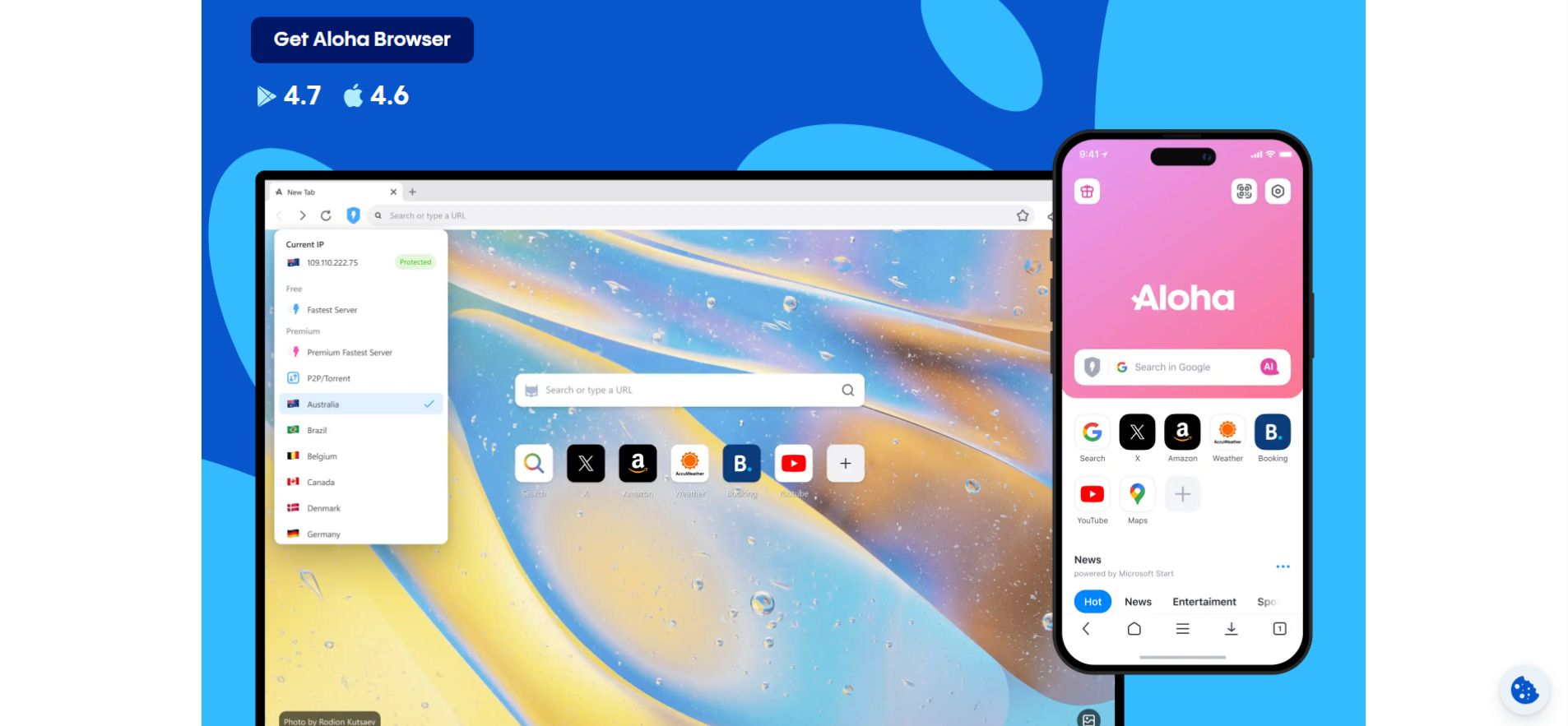
Aloha Browser is a Chromium-based web browser designed to reduce ads, trackers, and casual online monitoring through built-in privacy features rather than extensions.
As of 2025, Aloha Browser is available on:
-
Android
-
iOS
-
Windows
-
macOS
It focuses on ease of use: privacy protections are enabled by default, with no account required.
Key Features Of Aloha Browser
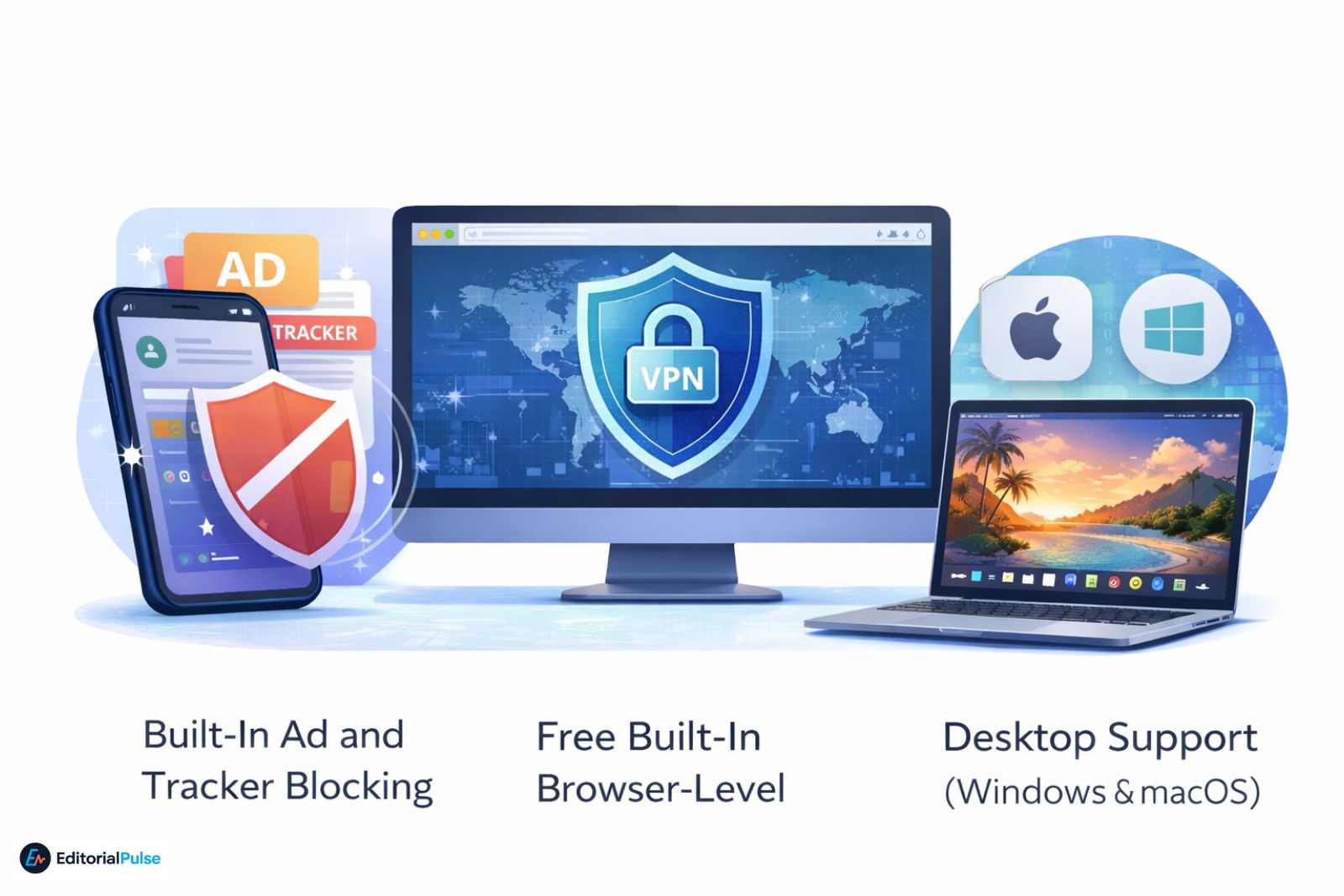
Built-In Ad and Tracker Blocking
Aloha includes a native ad and tracker blocker that relies on filter-based blocking with additional network-level optimizations.
In practice, this means:
-
Most display ads and pop-ups are removed automatically
-
Common tracking scripts are blocked at page load
-
Fewer third-party requests reach advertiser or analytics domains
This system is lighter than fully customizable blockers like uBlock Origin, but effective for everyday browsing without manual configuration.
Free Built-In VPN (Browser-Level)
Aloha offers a free, integrated VPN that encrypts traffic between the browser and Aloha’s servers.
Important limitations to understand:
-
The VPN protects browser traffic only, not system-wide connections
-
Other apps on the device are unaffected unless a premium system-wide option is enabled (mobile only)
-
It does not provide full anonymity or identity masking
Standard users receive browser-level protection. On mobile platforms, premium plans can enable system-wide VPN coverage, which is not currently available on desktop. For comparison, other VPN browsers offer similar browser-level encryption.
Desktop Support (Windows & macOS)
After years of being mobile-only, Aloha officially launched native Windows and macOS versions in late 2024 / early 2025.
Desktop features include:
-
Built-in VPN and ad blocking
-
Video pop-out / floating media player
-
Bookmark and profile syncing
-
Desktop performance parity with Chromium browsers
This release corrected one of the biggest historical gaps in Aloha’s ecosystem and created a noticeable gap in search coverage, as many reviews still incorrectly claim no PC support.
Web Apps on Desktop
On Windows, Aloha allows users to convert websites—such as YouTube, Pinterest, or web tools—into standalone desktop apps.
These web apps:
-
Launch independently from the main browser
-
Retain ad blocking and privacy protections
-
Behave similarly to Progressive Web Apps (PWAs)
This feature adds meaningful value for desktop productivity users.
Private AI Assistant
Aloha introduced a Private AI Assistant in late 2024/2025.
Key privacy characteristics:
- AI chats run in a sandbox inside the browser.
- The assistant does not use your browsing history to train the model.
- Conversations remain separate from advertising profiles.
This positions the assistant as a privacy-focused alternative to AI tools tied to data-collection ecosystems.
“Snips” (Emerging Desktop Feature)
On desktop platforms, Aloha has begun rolling out an experimental feature called Snips.
Snips allows users to:
-
Clip specific elements from webpages (prices, scores, text blocks)
-
Monitor those elements from a private dashboard
Availability and behavior vary by version, and the feature appears to be evolving. It should be viewed as emerging, not yet a core, guaranteed capability.
Web3 and Crypto Support
For tech-savvy users, Aloha includes optional Web3 functionality:
-
Built-in crypto wallet
-
Native support for decentralized domains such as .ens and .unstoppable
These features are isolated from standard browsing and can be ignored entirely by users who do not interact with Web3 services.
Is Aloha Browser Safe?
From a security standpoint, Aloha Browser appears reasonably safe for general use, with important caveats.

Security Practices
-
HTTPS enforcement and modern Chromium security standards
-
Built-in blocking of known malicious trackers and ads
-
Sandboxed browsing environment consistent with Chromium
Aloha states that it undergoes regular third-party security assessments by Leviathan Security Group, though detailed public audit reports are not currently available for independent review.
This places Aloha ahead of many unaudited consumer browsers, while still leaving some transparency limitations.
Privacy, Tracking, and Logging
According to Aloha’s published privacy policy:
-
The VPN does not store browsing logs tied to individual users
-
Some anonymous usage metadata may be collected for service operation and performance monitoring
There is no public evidence of invasive tracking behavior, based on available public reports.
That said, Aloha is not a zero-knowledge or anonymity-focused browser. For users seeking complete anonymity, anti-detect mobile browsers or Tor are more appropriate.
Privacy vs Anonymity
Aloha improves privacy, not anonymity.
It can:
-
Reduce ad tracking
-
Encrypt browser traffic
-
Limit third-party profiling
It does not:
-
Hide your identity from websites
-
Prevent ISP awareness entirely
-
Replace Tor or specialized anonymity tools
Transparency and Open Source Status
Aloha is not a fully open-source browser.
However, Aloha has taken steps toward transparency by releasing portions of its underlying codebase for public review, according to secondary coverage. The entire browser and infrastructure are not publicly open sourced.
This represents progress compared to earlier versions, but it does not place Aloha in the same category as fully open-source browsers. Users who prioritize fully open-source software may consider alternatives like Orion Web Browser or Shadow Browser.
Pros and Cons of Aloha Browser
Pros
-
Built-in VPN with no setup required
-
Effective default ad and tracker blocking
-
Official Windows and macOS support
-
Private AI assistant
-
Clean UI with low learning curve
Cons
-
VPN is browser-only for free users
-
No publicly available audit reports
-
Limited advanced configuration
-
Not designed for full anonymity
Who Should Use Aloha Browser?
Aloha Browser is a good fit if you:
-
Want simple privacy protection without extensions
-
Prefer built-in tools over manual setup
-
Use mobile and desktop devices interchangeably
-
Want lighter protection than Tor or hardened browsers
It may not be ideal if you:
-
Require strict anonymity
-
Want fully open-source software
-
Need advanced network-level VPN control on desktop
For users navigating browsing restrictions or looking for unblocked browsers for school, Aloha offers a user-friendly, privacy-focused option.
FAQs
Q. Is Aloha Browser safe to use in 2025?
Yes, Aloha Browser is generally safe for everyday use in 2025. It’s built on Chromium, uses HTTPS by default, and includes ad and tracker blocking. Aloha says it undergoes third-party security assessments, though detailed public audit reports are not available. It improves privacy but is not designed for full anonymity.
Q. How does Aloha Browser’s free VPN work?
Aloha’s free VPN encrypts traffic between the browser and Aloha’s servers. It protects browser activity only, not other apps on your device. Free users get browser-level protection, while premium mobile users can enable system-wide VPN coverage. It’s useful for privacy on public Wi-Fi, but it’s not a full anonymity tool.
Q. Does Aloha Browser track you or store logs?
Aloha states that it does not store browsing logs linked to individual users. However, like most browsers, it may collect limited anonymous usage data for performance and service management. There is no public evidence of invasive tracking, based on available reports, but it is not a zero-data or no-metadata platform.
Q. Can you use Aloha Browser on Windows or macOS?
Yes. As of late 2024 and into 2025, Aloha offers official Windows and macOS versions. The desktop apps include built-in VPN, ad blocking, and features like video pop-out and web apps. Many older reviews incorrectly say Aloha is mobile-only, but native PC and Mac versions now exist.
Q. Is Aloha Browser fully open source?
No. Aloha Browser is not fully open source. The company has taken steps toward transparency by releasing portions of its codebase, but the entire browser and infrastructure are not publicly available for review. It should be considered a proprietary browser with limited open-source components, not a fully open-source project.
Final Verdict
Aloha Browser in 2025 is a capable, privacy-focused browser that prioritizes convenience over extremes.
Its biggest improvements—desktop availability, AI tools, and refined privacy features—address long-standing criticisms. However, even though transparency isn’t perfect and anonymity remains limited, Aloha’s honest positioning and built-in protections still make it a strong choice for everyday users seeking less tracking without added complexity.
For most people, that balance is exactly the point.
Related: Eduphoria LockDown Browser Explained (2025) – Student Guide
| Disclaimer & Transparency Note: This review is for informational purposes only. Aloha provides privacy-oriented features and publishes claims about audits and data handling, but like many proprietary browsers, it does not release full technical audit documentation for public verification. Information is based on publicly available sources as of 2025. |