The term “Hercules Browser” has exploded across searches—driven by TikTok rumors, sketchy download sites, and confusing SEO articles. But here’s the truth: most people searching for it don’t actually know what they’re trying to find.
This guide breaks down exactly what the Hercules Browser is claimed to be, what actually exists, and what’s safe vs. dangerous so you don’t end up installing malware disguised as a “magic unblocked browser.”
Why People Search for “Hercules Browser”
Most users have one of three motivations:
1. “Is this unblocked browser real?”
Students looking for tools that bypass school filters.
2. “Is the Hercules Browser safe to download?”
People confused by multiple versions across TikTok, Softonic, GitHub, and APK sites.
3. “Is this a legitimate privacy browser?”
Users comparing it to Brave, Firefox, or Opera GX.
The problem?
All three expectations are wrong.
There is no single, official Hercules Browser.
Let’s break down the three versions people think exist.
The “Unblocked School Browser” — TikTok Trend
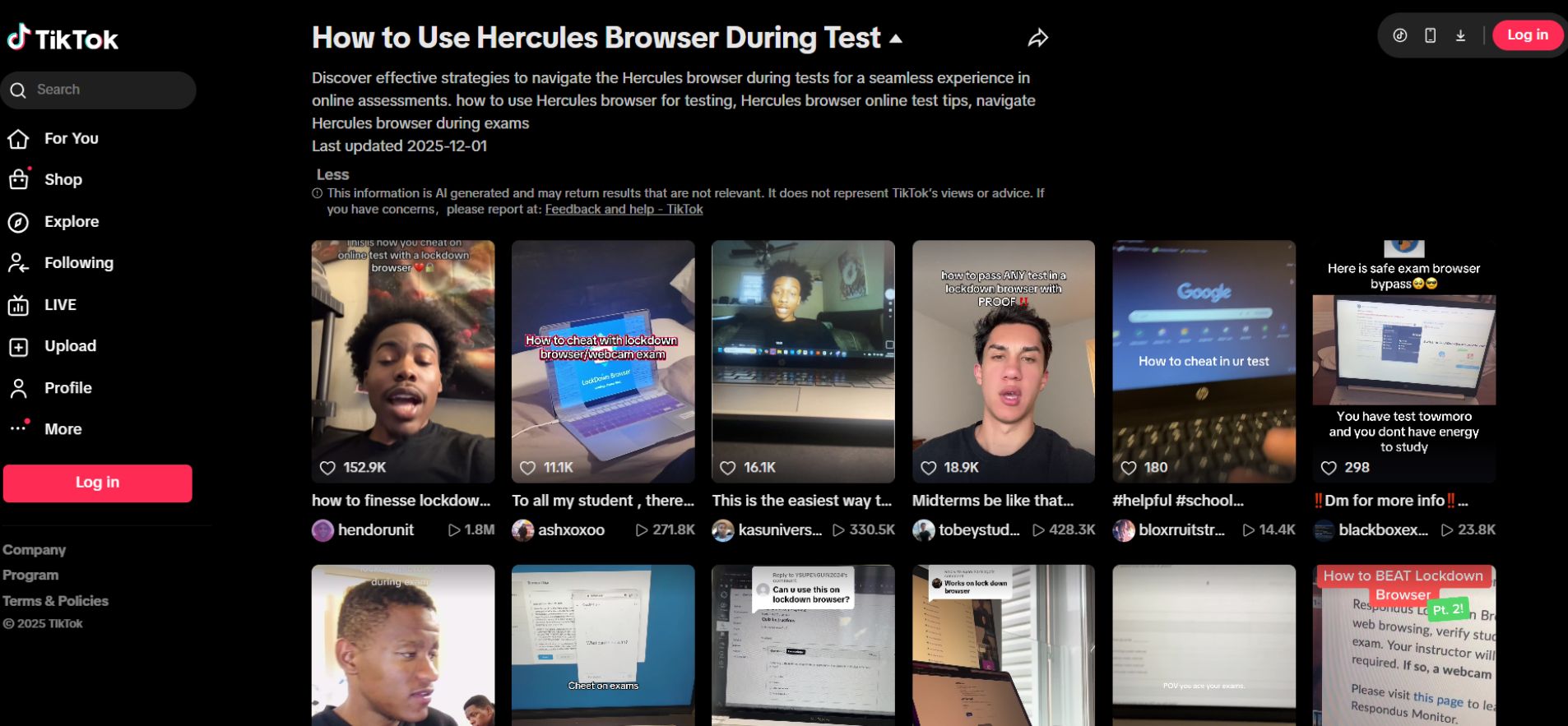
Claim: A special Hercules Browser circulates on TikTok and lets students access blocked sites.
Reality Check:
✔ A few TikTok videos do reference “Hercules unblocked browser”
✖ But there is no widely-used app, no official website, and no safe APK.
Most “Browser Unblocked” links lead to:
-
Proxy clones
-
Fake browser pages
-
Malware installers
-
Keylogging scripts
-
Shady .exe files
Why It’s Dangerous
Cybersecurity tools have flagged multiple Hercules-related installers as:
-
Adware
-
Browser hijackers
-
Password harvesters
-
Redirect malware
HerculesLookup, a known adware family, is one of them.
Verdict: Avoid Completely
If a browser claims it can bypass all school filters, it’s usually:
-
Fake
-
A proxy that will be blocked in hours
-
A malware dropper
No legitimate browser is designed to break school firewalls.
2. The Softonic “Hercules Browser” Download
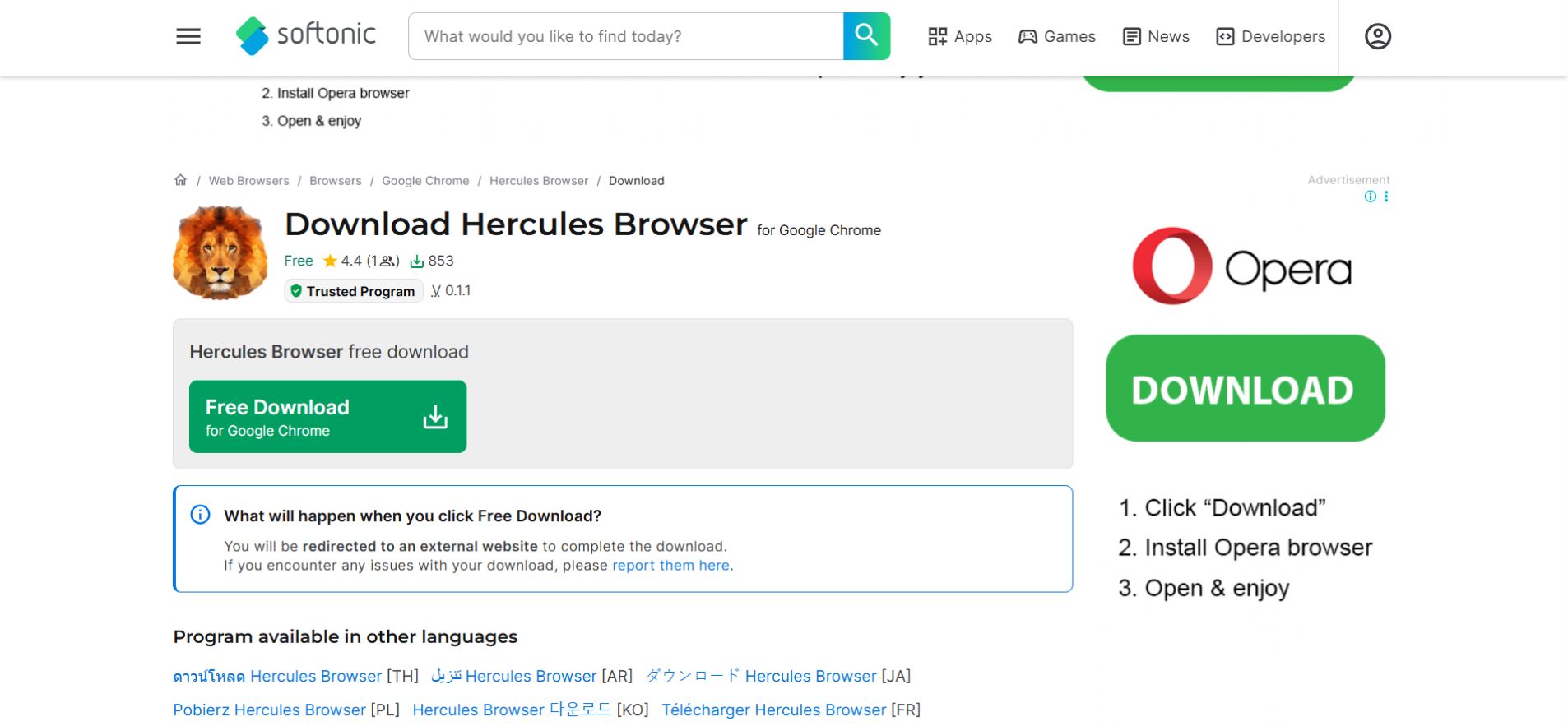
Claim: Softonic hosts a lightweight “Hercules Browser for Chrome.”
Reality:
✔ Yes, it exists.
✖ No, it’s not useful.
It is:
-
Old
-
Non-updated
-
Barely downloaded
-
Not a privacy tool
-
Not a real standalone browser
It behaves like an extremely basic Chrome extension with zero real functionality.
Security Status:
It’s not outright malicious, but it’s also pointless.
Verdict:
Safe-ish → but not recommended.
There’s no reason to install it over normal Chrome.
3. The “Open-Source GitHub Hercules Browser”
Claim: There is a legitimate, safe, open-source Hercules Browser project on GitHub.
Reality:
This does not exist.
GitHub contains repositories called “Hercules,” but they are:
-
Game server emulators
-
Git analysis tools
-
Testing automation agents
-
Random utilities
None of them are web browsers.
This claim appears to be an SEO myth repeated in low-quality articles.
Verdict:
False.
There is no Hercules Browser on GitHub.
So… Does a Real Hercules Browser Exist?
No. Not as a legitimate browser brand. This is a combination of:
-
Misleading TikTok content
-
Abandoned extensions
-
Malware posing as browser tools
-
SEO confusion from unrelated GitHub repositories
There is no official company, no real browser team, and no trusted release.
Is the Hercules Browser Safe?
In almost every case: No. Here’s the risk breakdown:
| Version | Safety | Notes |
|---|---|---|
| TikTok “unblocked” version | ❌ Dangerous | Usually malware/proxy scams |
| Softonic extension | ⚠️ Low risk but useless | Abandoned & offers no value |
| GitHub version | ❌ Does not exist | Misinterpreted SEO myth |
If you installed anything called Hercules Browser, remove it immediately.
Better Alternatives to Hercules Browser
Here are real, safe, well-maintained browsers depending on your needs.
Privacy
-
Brave
-
Firefox + uBlock Origin
Students
-
Opera GX
-
Edge (Secure Mode)
Security
-
Chrome
-
Firefox ESR
These browsers have:
✔ audit transparency
✔ real security policies
✔ regular updates
✔ legitimate developer teams
“If you’re exploring alternatives with speed, privacy, and security in mind, don’t miss our Orion Web Browser Review 2025.”
If You Installed Hercules Browser — Do This Now
1. Remove Unknown Extensions
Check:
-
Chrome → Extensions
-
Edge → Add-ons
-
Firefox → Add-ons
Delete anything:
-
You don’t remember installing
-
Named “Hercules,” “Lookup,” or “Proxy Browser”
2. Run a Malware Scan
Use:
-
Malwarebytes
-
Windows Security
-
CleanMyMac (for macOS)
3. Reset Browser Settings
If you see redirects or pop-ups:
-
Reset Chrome
-
Reset Edge
-
Reset Firefox
4. Change Your Passwords
Adware like HerculesLookup is known to sniff credentials.
FAQs
Q1. What is the Hercules Browser?
The term “Hercules Browser” refers to three unrelated things. A fake unblocked browser circulating on TikTok, an old Chrome add-on listed on Softonic, and various GitHub projects that are not real browsers. There is no official or legitimate Hercules Browser product.
Q2. Is the Hercules Browser safe to download?
No. TikTok “unblocked” versions often contain malware, adware, or trackers. The Softonic version is outdated and offers no real functionality. Avoid all Hercules Browser downloads entirely.
Q3. Can the Hercules Browser bypass school restrictions?
No legitimate browser can bypass school firewalls. Any tool claiming to do so is usually a proxy or malware. Schools block such tools quickly, and using them can compromise your device and personal information.
4. Is the Hercules Browser extension on Softonic legitimate?
It exists but is not useful. The Softonic version is an abandoned Chrome extension with minimal functionality, low downloads, and no privacy features. It is not recommended for regular use.
5. What should I do if I installed the Hercules Browser?
Immediately remove it, run a malware scan with Malwarebytes or Windows Security, reset your browser settings, and change your passwords. Hercules-related downloads often modify browser behavior or inject ads.
6. What are the safest alternatives to Hercules Browser?
Trusted browsers include:
-
Brave (privacy-first)
-
Firefox (secure & customizable)
-
Opera GX (student-friendly features)
-
Chrome (best compatibility)
These options are actively maintained, secure, and reliable — unlike the trending ‘browser versions’ circulating online that falsely claim to be legitimate.
Final Verdict
It is not a real or legitimate browser—rather, it’s a mix of misinformation, unsafe downloads, and outdated extensions.
Do NOT download anything branded “Hercules Browser.”
There are zero benefits and high malware risk. Stick to mainstream, secure browsers with actual development and security teams behind them.
Related: Prisma Access Browser 2025: Features, Pricing & Setup Guide