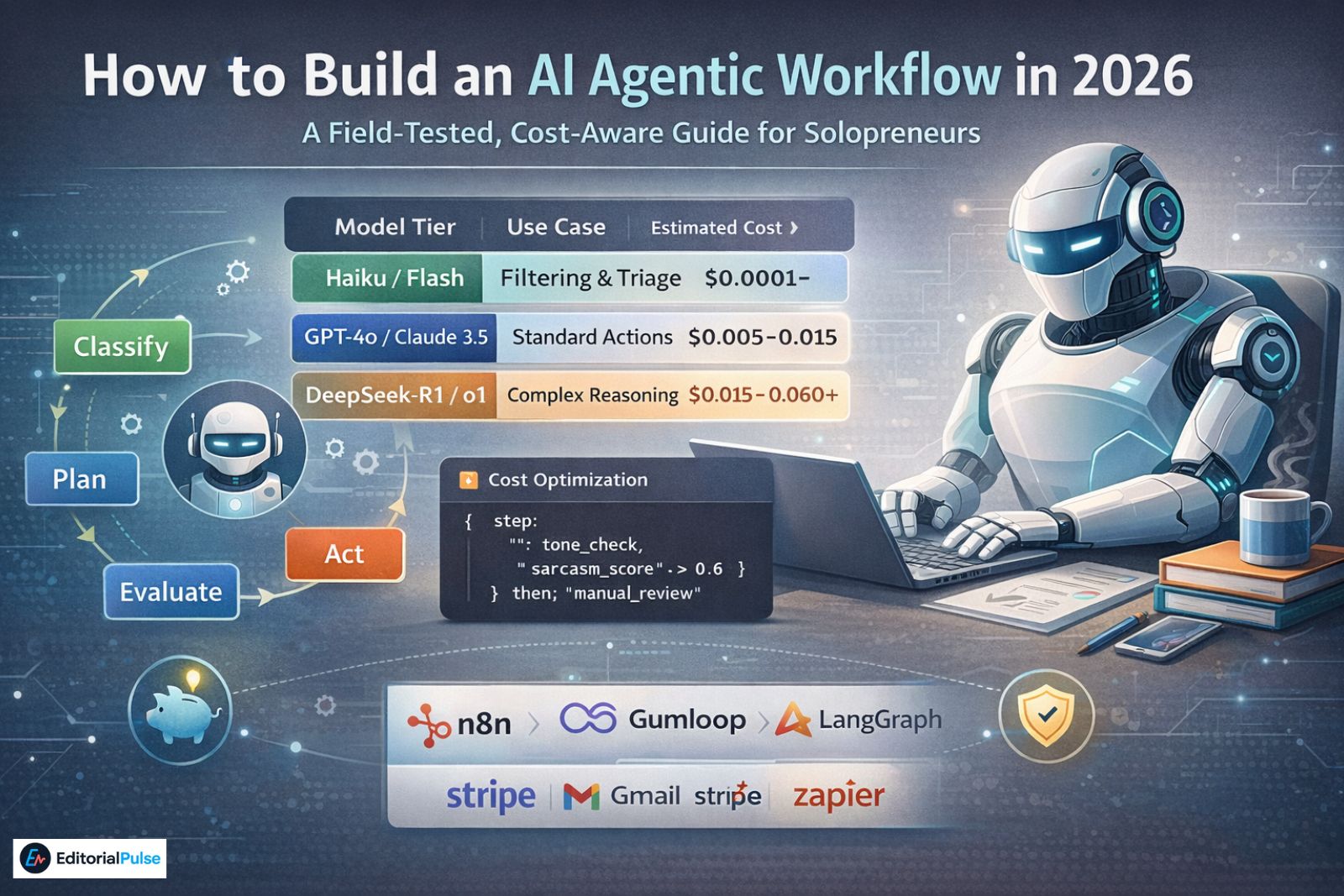
A Field-Tested, Cost-Aware Guide for Solopreneurs
| Model Tier | Use Case | Estimated Cost (per 1k tokens) |
| Haiku / Flash | Filtering & Triage | $0.0001 – $0.0005 |
| GPT-4o / Claude 3.5 | Standard Actions | $0.005 – $0.015 |
| DeepSeek-R1 / o1 | Complex Reasoning | $0.015 – $0.060+ |
Why “Smarter Prompts” Stop Working
Most solopreneurs I talk to are still using AI like a smarter Google search.
I was too.
In early 2025, I thought better prompts would solve everything. Instead, my inbox grew, follow-ups slipped, invoices went out late, and “automation” quietly became another thing I had to manage.
The breakthrough didn’t come from prompting better.
It came from designing AI systems that act, pause, escalate, and shut up when needed.
That’s what agentic AI workflows actually are.
If you’re searching how to build an AI agentic workflow, you’re already past curiosity. You want something that survives real conditions: bad inputs, edge cases, API costs, and human expectations.
This guide documents what works in 2026—what failed, what cost money, and what now runs reliably in production.
What an Agentic AI Workflow Actually Is
An agentic AI workflow is a system where AI agents:
-
Understand a defined goal
-
Plan actions (not just respond)
-
Use tools (email, calendar, CRM, billing)
-
Track memory and state
-
Decide when to act, escalate, or do nothing
In short: agents work.
This is fundamentally different from chat-based AI.
Traditional AI vs Agentic AI
| Capability | Traditional AI | Agentic AI Workflow |
|---|---|---|
| Output | Text | Actions + decisions |
| Autonomy | None | Controlled |
| Memory | Session-only | Persistent |
| Tools | Optional | Required |
| Best for | Ideas | Complex tasks |
Agentic workflows exist because real businesses aren’t linear.
Why Agentic Workflows Took Off in 2026
Three shifts made this inevitable:
1. Reasoning Models Got Reliable
Models like DeepSeek-R1 made multi-step planning stable enough to trust. This was the move from simple Chain of Thought to agentic loops (plan → execute → reflect).
2. Tool Access Standardized
The Model Context Protocol (MCP) normalized how agents connect to local and cloud tools—files, APIs, CRMs—without brittle glue code.
3. Solopreneurs Hit Automation Limits
Zapier-style workflows break the moment logic branches. Agentic workflows don’t.
The 5 Non-Negotiable Building Blocks
Every agent that didn’t fail had these.
1. A Brutally Clear Goal
❌ “Handle my emails”
✅ “Draft support replies, send only if confidence ≥95%, escalate billing issues”
Vague goals create unpredictable agents.
2. Reasoning Engine (The Brain)
This is the planner:
-
DeepSeek-R1
-
OpenAI o-series
-
Claude-class planners
Mistake I made: letting the model “think freely.”
Fix: constrain reasoning to explicit steps.
3. Tools That Actually Do Things
Common tools:
-
Gmail / Outlook
-
Google Calendar
-
Notion / HubSpot
-
Stripe / invoicing systems
If an agent can’t act, it’s just expensive text.
4. Memory and State (Where Most Fail)
Agents must remember:
-
What already happened
-
What not to repeat
-
What’s pending
Operational scar:
My invoice agent once sent three reminders to the same client. I hadn’t marked invoices as “processed.” That mistake paid for my logging system.
5. Guardrails and Stop Conditions
Agents must know:
-
When to stop
-
When to escalate
-
When not to act
Guardrails are logic, not policy statements.
The Cost Reality Nobody Talks About (The Token Tax)
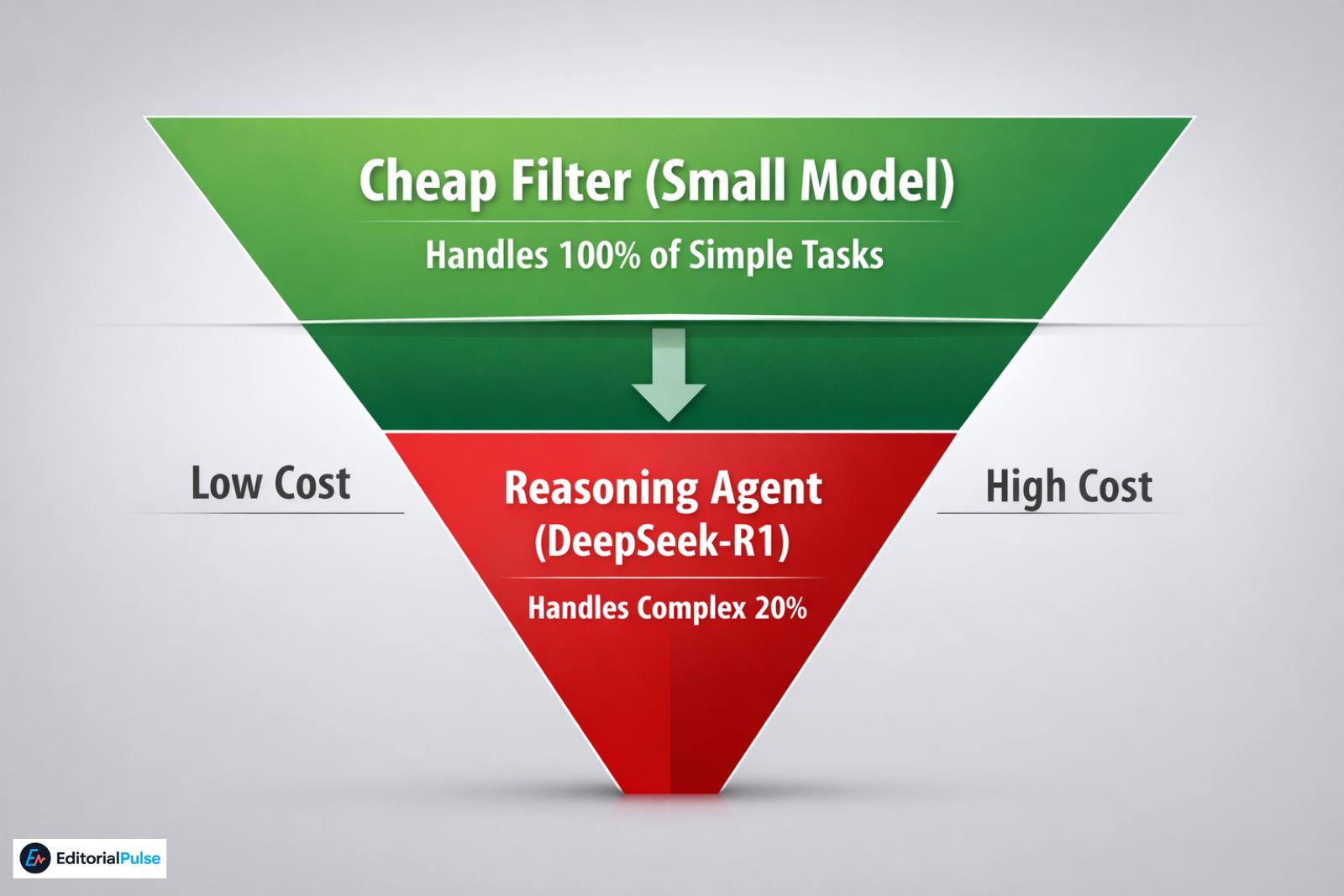
Agentic workflows are not free.
In 2026:
-
A simple classifier costs ~$0.03–$0.05 per task
-
A reasoning agent (DeepSeek-R1 class) costs ~$0.30–$0.40 per task
If you run:
-
1,000 agent actions/day
-
At $0.40 each
That’s $400/month.
I learned this after my first billing cycle. You can use an AI price comparison tool to track how these rates shift between models.
The Fix: Cheap First, Smart Second
My current structure:
-
Cheap filter agent (classification only)
-
Expensive reasoning agent only when needed
This cut costs by ~45%.
Optimization isn’t optional—it’s survival.
The Biggest Optimization Win: “Permission to Be Silent”
Most agents feel they must act.
That’s wrong.
I explicitly give my agents permission to do nothing.
Example Rule (Plain English)
If the message is only a thank-you, acknowledgment, or already resolved → log and stop.
This one rule:
-
Reduced reasoning calls
-
Lowered API costs ~20%
-
Prevented awkward over-automation
Silence is often the best output.
How to Build an AI Agentic Workflow (Step by Step)
This is the exact process I use now.
Step 1: Pick One Painful, Repetitive Task
Good first agents:
-
Support triage
-
Lead qualification
-
Scheduling
-
Invoice follow-ups
Avoid creative work at first.
Step 2: Write the Workflow in Plain English
Before tools, write logic:
Trigger → classify → plan → act → evaluate → stop or escalate
If you can’t explain it simply, the agent won’t behave.
Step 3: Choose the Right Builder
What actually works for solopreneurs:
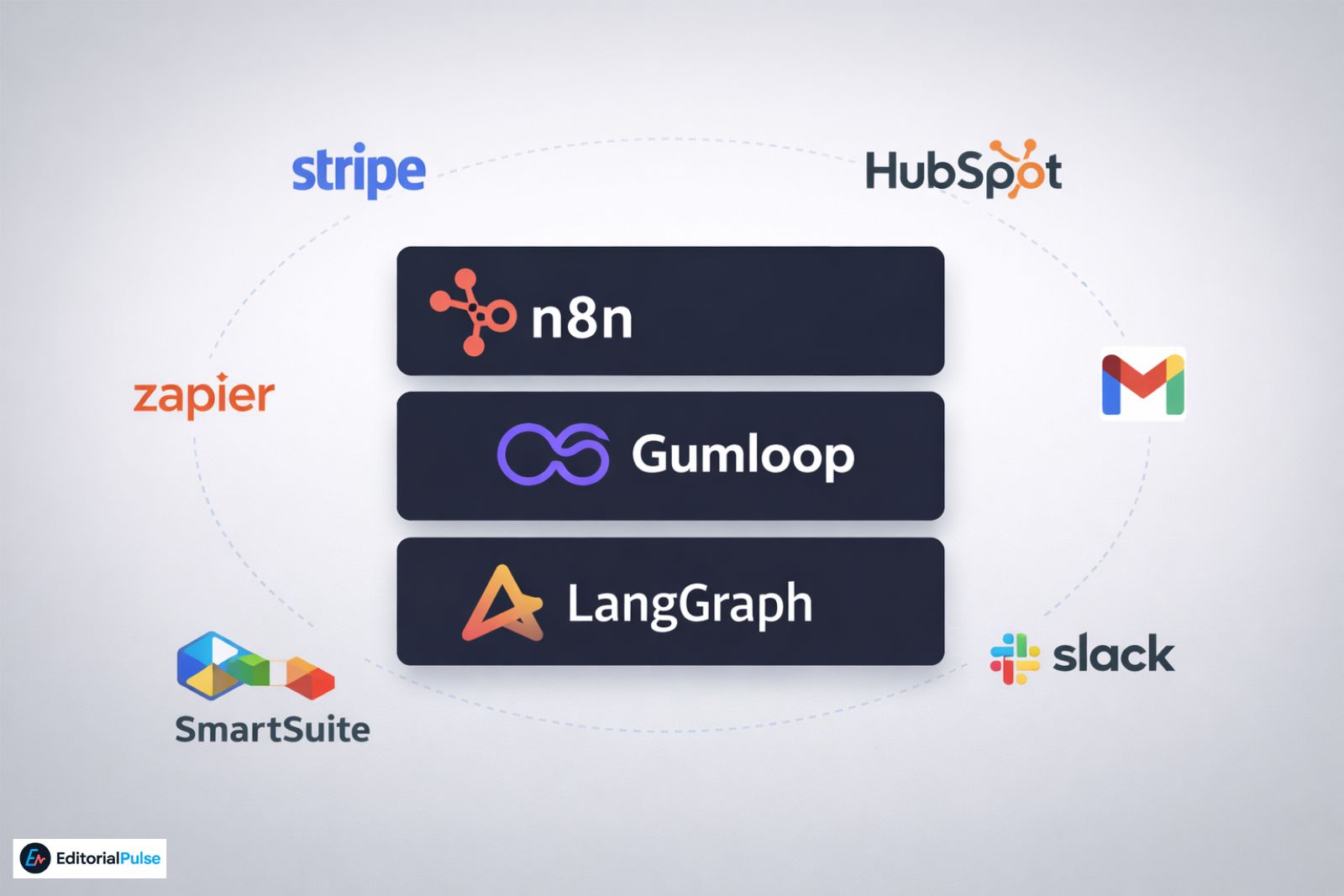
Over-engineering early is a trap.
Step 4: Add Tools One at a Time
Order matters:
-
Read data
-
Draft output
-
Execute action
Test each step in isolation.
Step 5: Add Confidence Thresholds (Hard Lesson)
Operational scar:
An agent once emailed a draft to a client.
That never happens now.
Step 6: Add Tone Checks for Humans
Agents struggle with sarcasm.
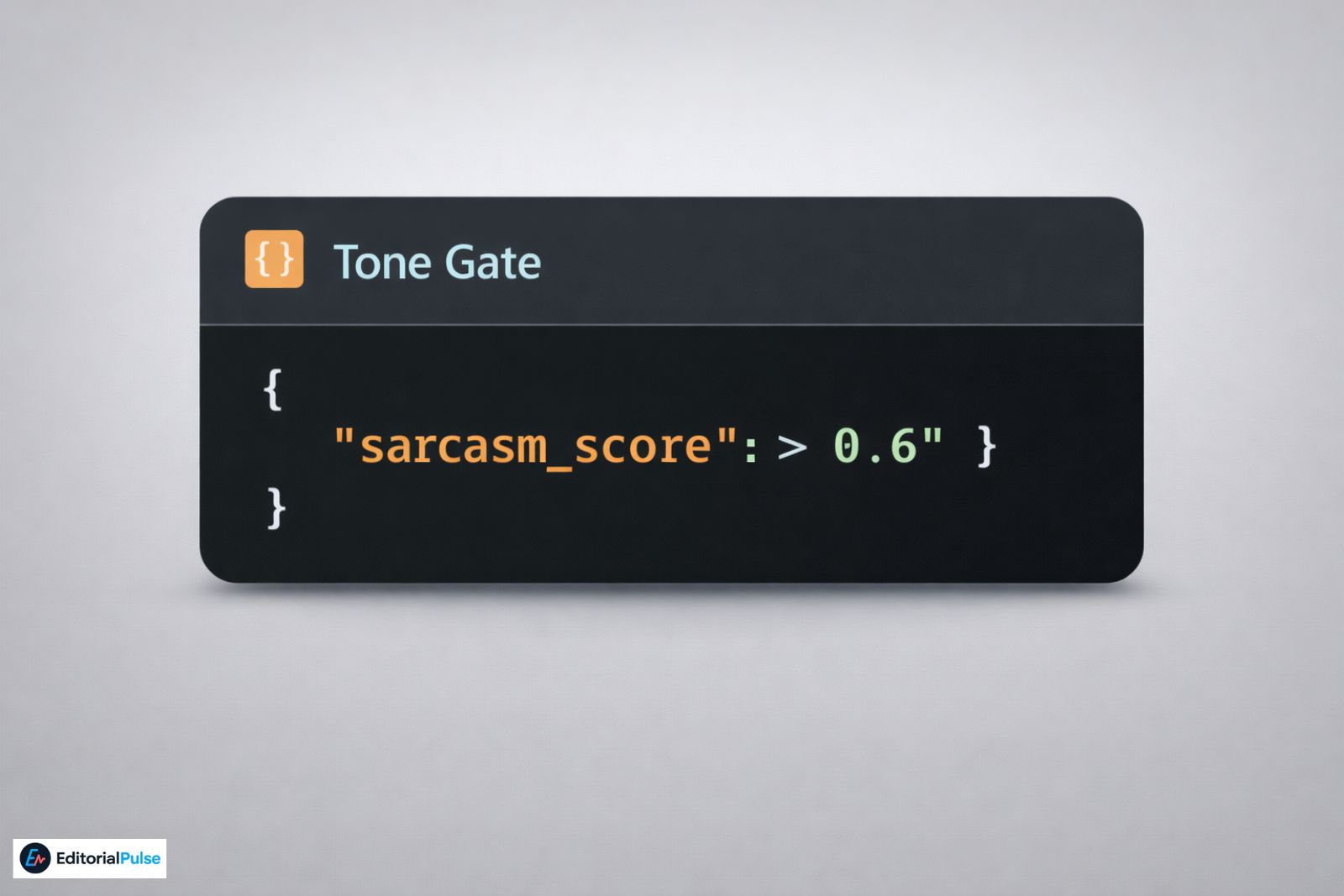
A lead once said:
“Sure, I love being pitched by consultants 🙄”
The agent booked a meeting.
Fix: Tone Gate
Step 7: Observe Before You Trust
Run in:
-
Read-only mode
-
Approval-required mode
If logs look boring, you’re ready.
Real-World Agentic Workflow Examples
Support Agent
-
Reads emails
-
Drafts replies
-
Sends only above confidence threshold
-
Escalates billing/legal
Result: ~70% fewer manual replies.
Lead Qualification Agent
-
Scores inbound leads
-
Filters sarcasm
-
Books meetings automatically
Result: Faster follow-ups without sales hires.
Admin Agent
-
Tracks unpaid invoices
-
Sends reminders
-
Updates accounting tools
Result: Quietly saves hours every month.
Common Mistakes That Kill Agentic Workflows
I’ve made all of these:
-
Too much autonomy too early
-
No stop conditions
-
No logging
-
Letting agents contact humans unsupervised
-
Ignoring cost curves
Agents don’t fail loudly. They fail silently.
What Actually Matters in 2026
Forget hype. These stick:
-
Smaller, specialized agents
-
Human-in-the-loop defaults
-
Vertical-specific templates
-
Reliability scoring
-
Agent marketplaces
The future isn’t flashy agents. It’s boring ones that don’t break.
Quick Checklist
-
One narrow goal
-
Plain-English logic
-
Cheap filter before reasoning
-
Memory + state tracking
-
Confidence thresholds
-
Tone checks
-
Human override
-
Logging
If you have these, you’re ahead of most teams.
FAQs
Q1. How do you develop agentic AI workflows?
To develop an AI agentic workflow, start by defining a specific, narrow goal for your agent. Next, map the workflow logic step-by-step, integrate the necessary tools gradually (like Gmail, Notion, or Stripe), and enforce guardrails and stop conditions. Always test the workflow in a controlled environment before granting full autonomy to ensure reliability and prevent costly mistakes.
Q2. What is an example of an agentic AI workflow?
A practical agentic AI workflow example is a customer support agent that automatically reads incoming emails, drafts replies, and sends messages only when confidence exceeds a set threshold. Edge cases, such as billing or legal issues, are escalated to a human, ensuring safety while automating repetitive tasks.
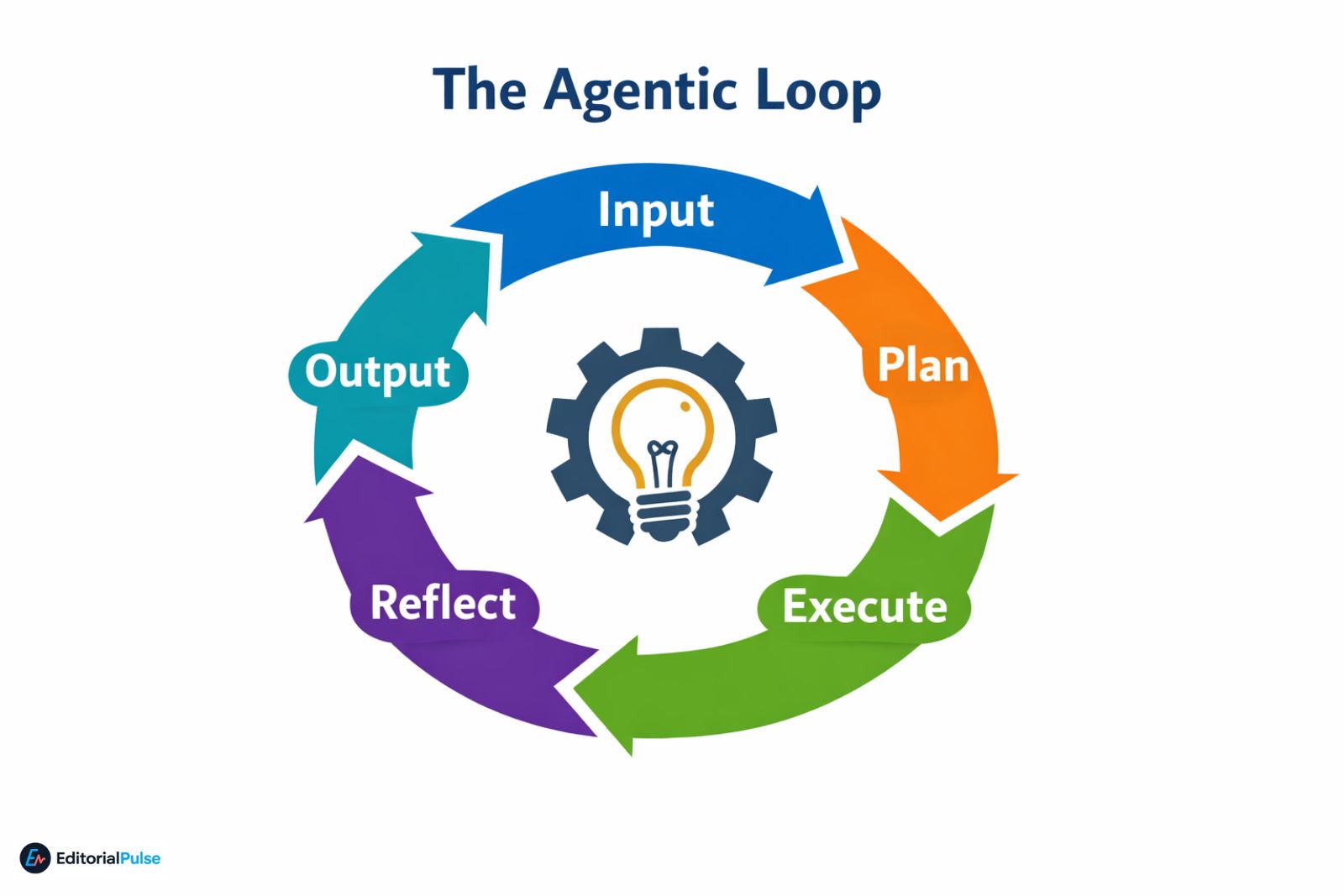
Q3. What are the four stages of an AI workflow?
The four essential stages of an AI workflow are:
-
Input – Collect and structure incoming data or requests.
-
Reasoning – Analyze and plan actions using AI reasoning models.
-
Action – Execute tasks through connected tools or systems.
-
Evaluation – Review results, loop with stop conditions, or escalate to humans.
This looped structure ensures agentic workflows remain autonomous yet controllable.
Q4. What is the agentic approach to AI?
The agentic AI approach focuses on creating agents that plan and execute tasks using tools and logic, rather than just generating text. Unlike standard chatbots, agentic AI can perform complex workflows, make decisions, and act on data, making it ideal for solopreneurs, small teams, and real-world business operations.
Q5. Can I build an agentic workflow without coding?
Yes. No-code and low-code platforms like n8n and Gumloop allow you to build agentic AI workflows without programming skills. These platforms provide drag-and-drop interfaces for connecting tools, setting logic, adding guardrails, and testing workflows, making agentic automation accessible to non-technical solopreneurs.
Conclusion
Agentic AI isn’t about replacing you.
It’s about removing the work you never wanted to do—without losing control.
Build slowly. Optimize costs. Give agents permission to be silent.
That’s the real answer to how to build an AI agentic workflow in 2026.
Related: Digital Transformation Strategies 2025: Proven Frameworks That Deliver Real ROI
| Disclaimer: This article is for informational and educational purposes only. Implementing AI agentic workflows involves complex system integrations, API costs, and data handling. While we strive for accuracy, the rapidly evolving nature of AI technology means that tools, pricing, and best practices may change. Natalie and EditorialPulse assume no liability for errors, omissions, or any financial or operational outcomes resulting from the use of this guide. We strongly recommend testing all workflows in a sandboxed environment and consulting with a technical professional before deploying agents in a production or customer-facing capacity. |