If you’ve searched for Leaf Browser recently, you’ve probably seen Reddit threads, outdated tutorials, or Chrome Web Store “clones.” But almost none of these resources explain what Leaf Browser actually is, how it works today in 2025, or why so many users—especially students—are still trying to install it.
Here’s the truth: Leaf Browser is not a real browser.
It’s an experimental browser interface layered inside your actual browser. Some versions are harmless UI demos. Others use hidden proxies and traffic rewriting that can expose your passwords and browsing activity.
This article gives you the most complete, updated, and technically accurate guide to Leaf Browser available, providing the clarity and safety assessment often missing from older resources
What Is Leaf Browser?
Leaf Browser is an experimental, browser-inside-a-browser interface originally created as a UI experiment by the developer s0. It looks like a real browser, complete with tabs and an address bar, but it runs inside a normal browser window (Chrome, Edge, Firefox, etc.).
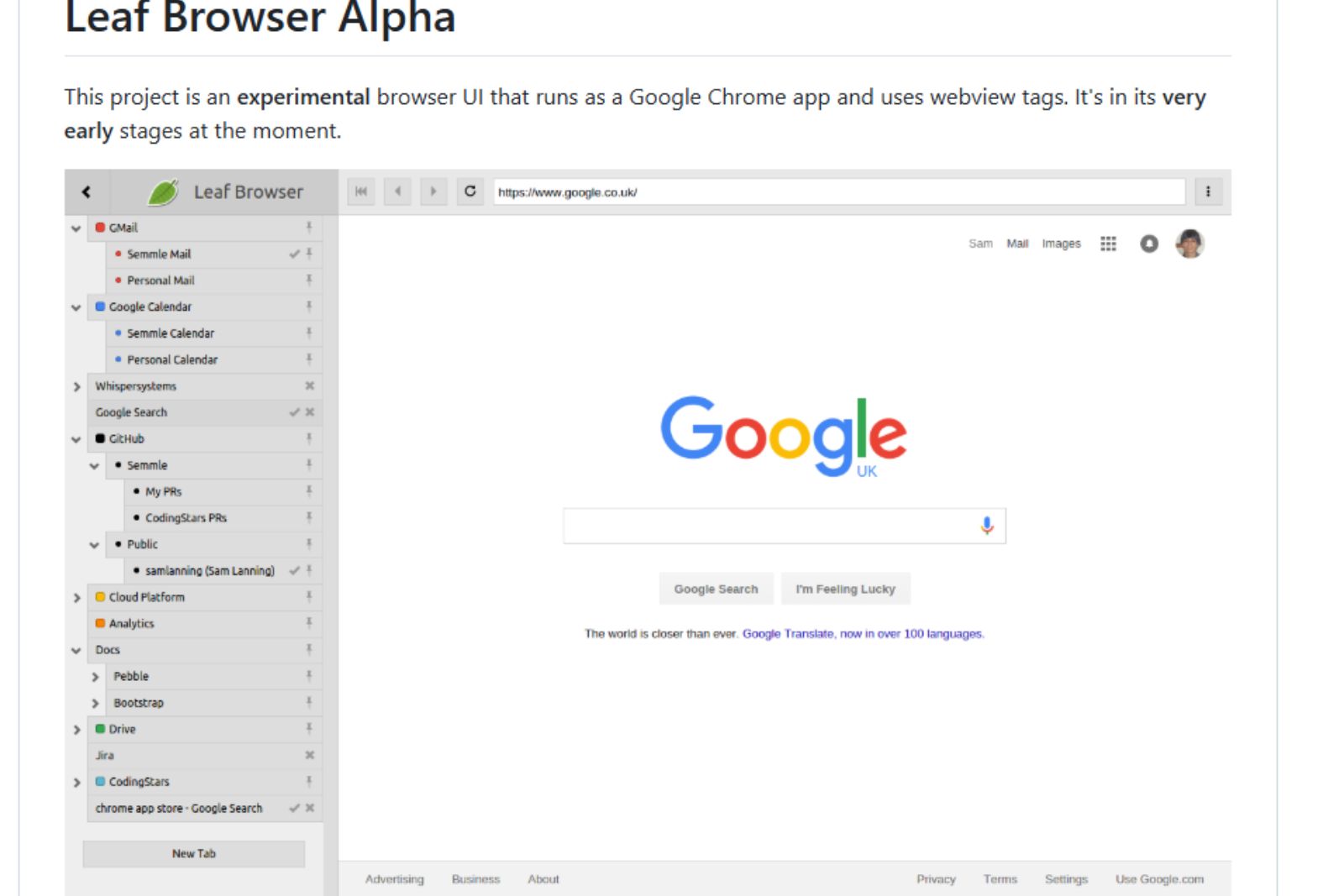
In simple words, this is a fake browser inside a real browser.
It’s basically a website that looks like a browser, but it’s not a real standalone app.
You’re not surfing the internet directly — you’re surfing through a webpage that imitates a browser.
Technical Explanation (For Developers)
-
The UI layer (address bar, tabs, menus) is built using HTML/CSS/JavaScript.
-
When a URL is entered, the page loads the destination inside an iframe.
-
Some versions route traffic through a proxy server to bypass restrictions.
-
The proxy rewrites HTML, scripts, and URLs to maintain the illusion of a browser.
Key Characteristics
-
No native capability
-
No independent rendering engine
-
No secure sandbox
-
No hardware acceleration
-
No extension ecosystem
-
No developer tools
-
No WebRTC, no deep browser APIs
It’s a front-end experiment, not a production browser.
Versions of Leaf Browser Explained (Original vs Alpha vs Clones)
Most people search for “Leaf Browser Alpha,” clones, or Chrome extensions — but none are official. Here’s what you need to know.
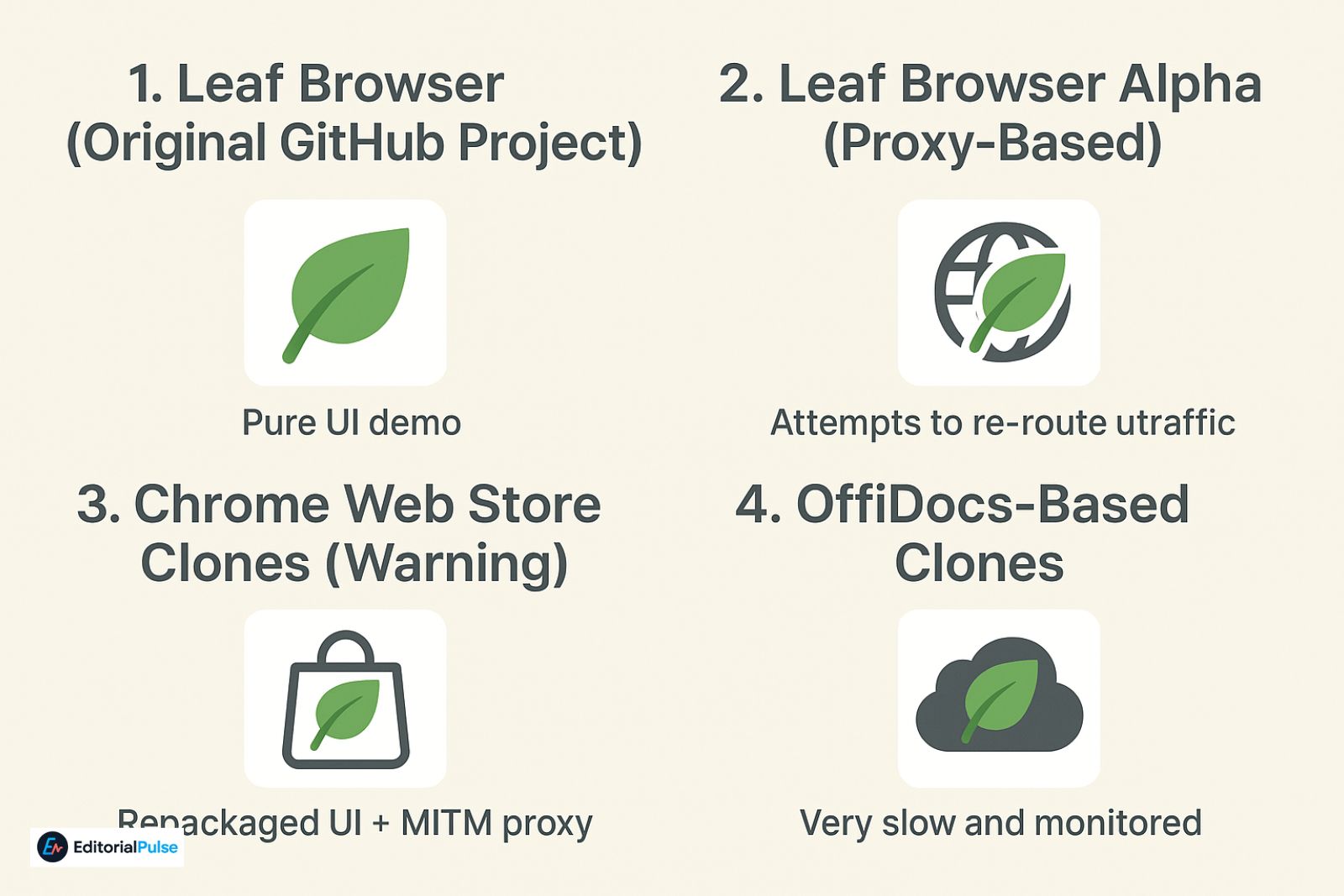
1. Leaf Browser (Original GitHub Project)
-
Created by s0
-
Pure UI demo
-
Does not unblock anything
-
Works locally
-
Safe, because no proxy traffic
-
Last major updates years ago
Who this is for:
Developers, curious users, UI experimenters.
2. Leaf Browser Alpha (Proxy-Based)
-
Not from the original developer
-
Uses reverse proxies
-
Attempts to re-route traffic
-
Works intermittently
-
Often blocked
-
Privacy risk
Why people use it:
Some sites load through the proxy, giving the appearance of unblocking.
3. Chrome Web Store Clones (Warning)
These are the most dangerous versions.
They are usually:
-
Repackaged Leaf Browser UI + a MITM proxy
-
Labeled as “productivity tools”
-
Using suspicious domain names
-
Updated by unknown developers
Risks:
-
Can log passwords
-
Can read cookies
-
Can inject scripts
-
Can track browsing
Google removes them frequently, but they keep returning.
4. OffiDocs-Based Clones
You will see “Leaf Browser Online” or “Leaf Browser Cloud” versions that load inside OffiDocs.
Issues:
-
Extremely slow
-
Fully monitored
-
Logged server-side
-
Triggered by Chromebook firewalls
Read More: How to Get Around LockDown Browser (2025): The Truth
How Leaf Browser Works
Leaf Browser uses two distinct mechanisms, depending on version:
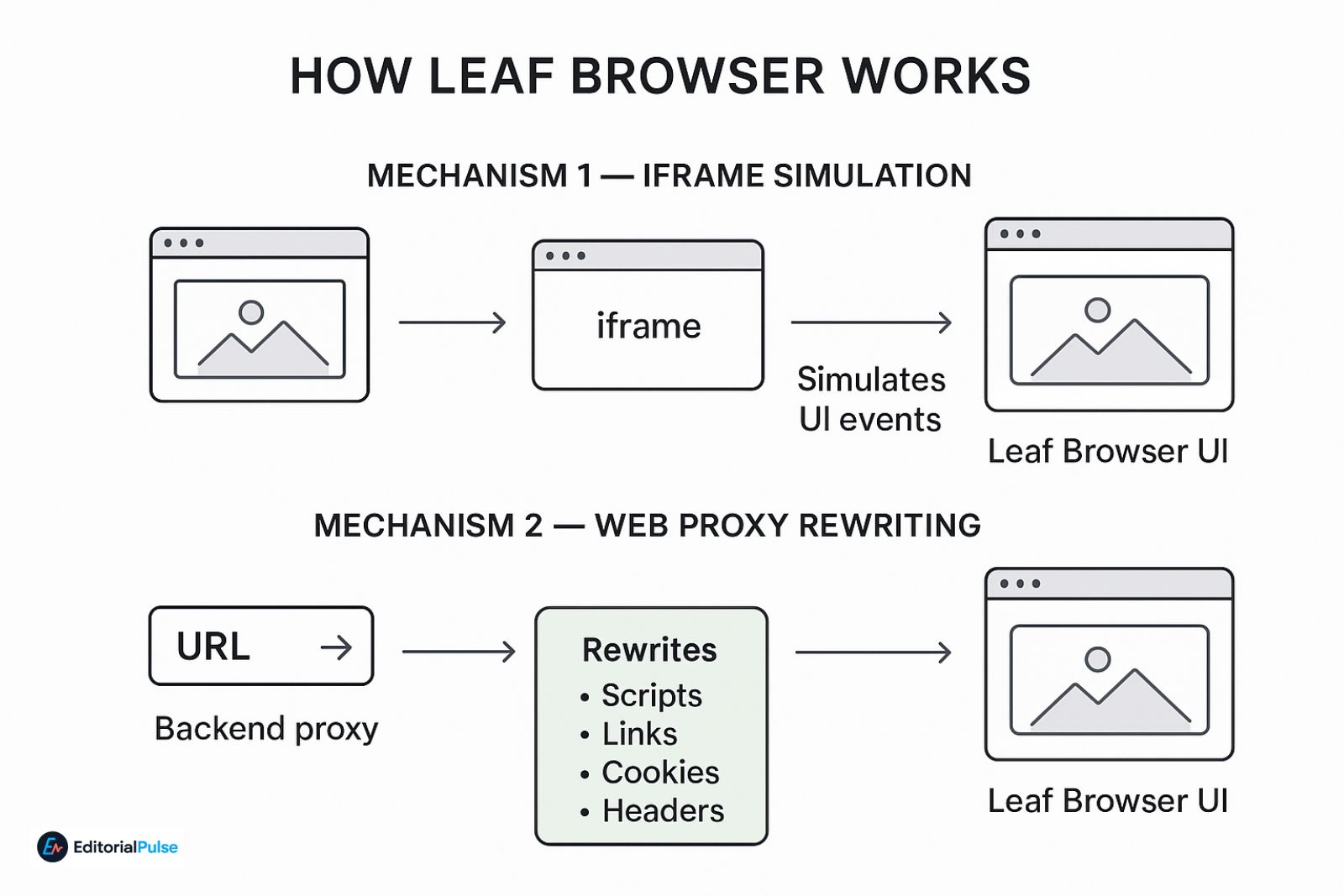
Mechanism 1 — Iframe Simulation
The simplest version:
-
Loads a website inside an iframe
-
Stylizes the iframe to look like a browser viewport
-
UI events (tab creation, back button, history) are simulated
-
JavaScript handles interactions
Limitations:
-
Cannot load sites that block iframe embedding
-
Cannot access HTTPS iframes on HTTP hosts
-
Blocked by CSP
-
No cross-origin scripting
Mechanism 2 — Web Proxy Rewriting
Used by Alpha + clones:
-
User enters URL
-
Backend proxy fetches content
-
Proxy rewrites:
-
Scripts
-
Links
-
Cookies
-
Headers
-
-
Rewritten site loads inside the Leaf Browser UI
Why proxies “sometimes” bypass filters
School filters often block the original domain, not the proxy’s domain.
So if the proxy domain isn’t blocked yet, the site temporarily loads.
Why this fails quickly in 2025
-
AI-driven URL classification
-
TLS fingerprinting
-
Proxy signature detection
-
Unknown-domain blocking
-
Blocking of mixed-content proxied iframes
Is Leaf Browser Safe?
The original Leaf Browser on GitHub is safe because it runs locally in your browser and doesn’t send your traffic through any server. It’s simply a UI experiment — no proxy, no logging, no hidden network behavior. The offline demo is also safe for the same reason.
Where things become risky is everything else calling itself “Leaf Browser,” especially Chrome Web Store clones or websites offering an “unblocked” version. These often operate as proxies, routing your traffic through unknown servers.
Why clones are dangerous
Proxy-based browsers clones can technically see everything you load or type, including:
-
Logins
-
Cookies
-
Messages
-
Google accounts
-
School accounts
-
Discord
-
Email
-
IP address
-
Device information
This does not mean “Leaf Browser is malware.”
But unsafe versions behave like MITM-style proxies, and you rarely know who runs the server or what data they capture or store. For students, this creates real privacy risks — especially on school networks where traffic is already monitored.
Does Leaf Browser Work on School Chromebooks in 2025?
Short answer: Almost never. School-managed Chromebooks block the methods proxy-based Leaf Browser clones rely on, so even if the interface opens, blocked sites usually won’t load. Here’s the detailed explanation:
Reason 1: Extension restrictions
Managed Chromebooks do not allow installation of unknown or unapproved extensions. Any attempt to add a Leaf Browser clone is automatically blocked or removed by the system.
Reason 2: AI-based proxy detection
Modern school firewalls detect proxy behavior in real time. They scan for:
-
Domain age and reputation
-
Proxy routing patterns
-
Traffic anomalies
-
TLS/SSL fingerprinting
If the Leaf Browser behaves like a tunneling tool, access is blocked immediately.
Reason 3: JavaScript inspection
Proxy-based clones often rewrite requests via JavaScript. ChromeOS and school monitoring systems detect this activity and prevent the connection from completing.
Reason 4: Content Security Policy (CSP) restrictions
Most websites today implement strict CSP headers. These prevent pages from loading inside:
-
Nested iframes
-
Rewritten pages
-
Proxy-based wrappers
Even when Leaf Browser’s interface opens, the actual sites fail to load.
Reason 5: ChromeOS sandboxing
ChromeOS security blocks essential components that proxy browsers rely on, including:
-
Cross-origin iframes
-
Mixed HTTP/HTTPS content
-
WebSocket tunnels
In 2025, Leaf Browser rarely works on school Chromebooks. While the interface may open, blocked sites almost never load, and clones are quickly detected by AI-based filters and ChromeOS security measures. For safe and reliable browsing on managed devices, it’s better to use officially approved browsers like Chrome, Edge Secure Mode, or Firefox.
Leaf Browser vs Earls Browser vs OffiDocs
| Feature | Leaf Browser (Original) | Leaf Browser Alpha | Earls Browser | OffiDocs Clones |
|---|---|---|---|---|
| Safety | High | Low | Very Low | Very Low |
| Proxy | No | Yes | Yes | Yes |
| Unblocks Sites | No | Sometimes | Sometimes | Sometimes |
| Chromebook Compatibility | Very low | Low | Low | Low |
| Privacy | Strong | Weak | Very weak | Weak |
| Developer Transparency | Yes | No | Unknown | No |
| UI Quality | Experimental | Basic | Poor | Poor |
| Works in 2025 | Yes | Partially | Sometimes | Yes |
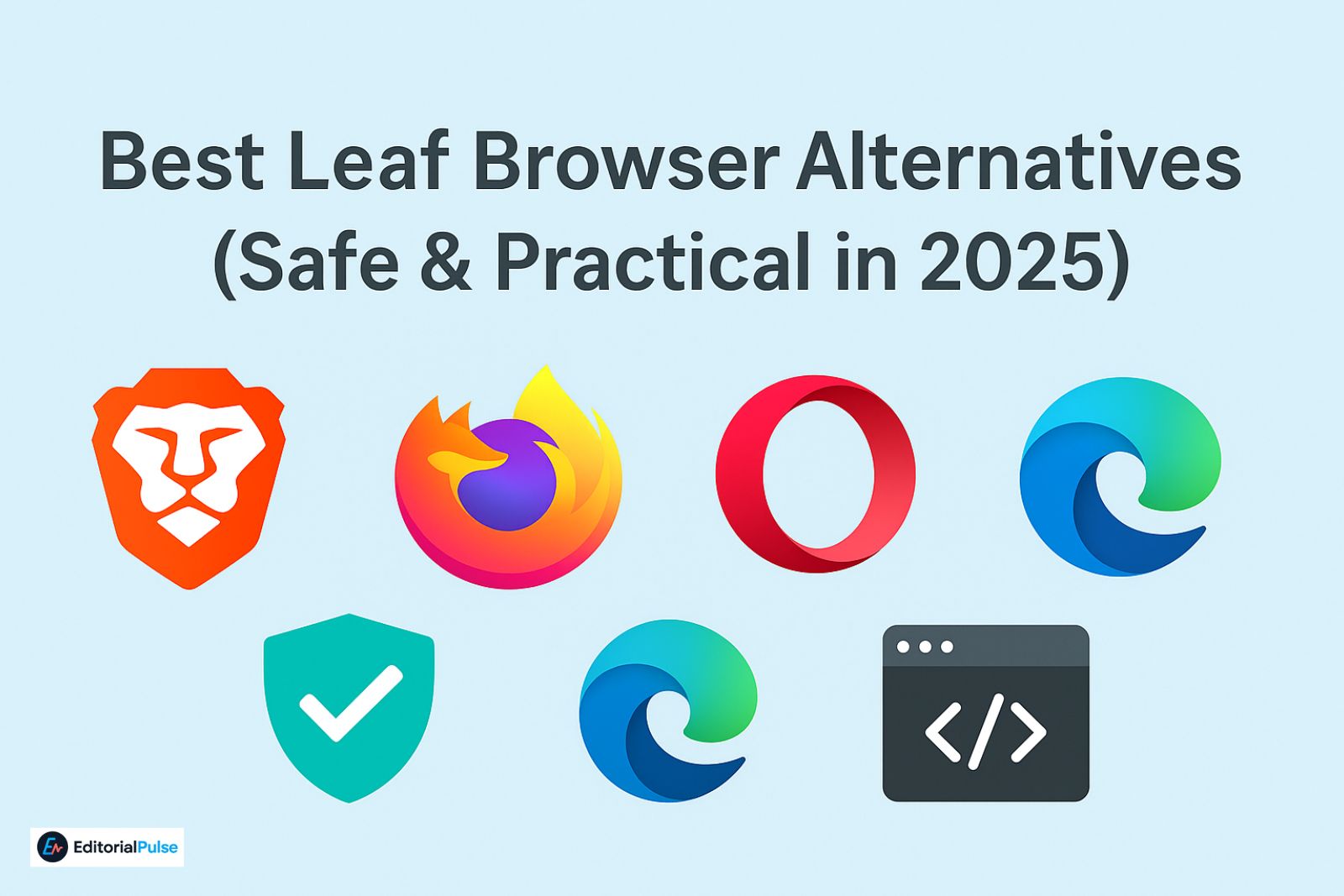
Best Leaf Browser Alternatives (Safe & Practical in 2025)
If you’re looking for a safe and reliable alternative to Leaf Browser or Earls Browser, especially for privacy, speed, or Chromebook use, here are the top options in 2025:
1. Brave Browser
-
Built-in shields: Blocks ads, trackers, and scripts automatically.
-
Private browsing: Integrated Tor support for anonymity.
-
Fast performance: Optimized for speed and low resource usage.
Why it’s a good alternative: Brave provides the privacy and speed that this flashy browsers clones falsely promise, without any risky proxy behavior.
2. Firefox
-
Open-source: Transparent development and strong community support.
-
Privacy tools: Tracking protection, container tabs, and anti-fingerprinting features.
Why it’s a good alternative: Firefox combines flexibility with security, making it a trusted option for students and professionals alike.
3. Opera GX
-
Built-in VPN: Protects your identity online.
-
Gaming-focused features: Limits CPU/RAM usage, customizable interface.
Why it’s a good alternative: Opera GX gives the experimental, UI-friendly feel users like about Leaf Browser, but safely and officially supported.
4. Microsoft Edge (Secure Mode)
-
Enterprise-grade security: Enhanced protections for managed devices.
-
Privacy-focused features: Tracking prevention and password monitoring.
Why it’s a good alternative: Edge Secure Mode is perfect for students and workplaces with tight security requirements.
5. Transparent Web Proxies & VPNs
If your goal is unblocking content safely:
-
hide.me
-
ProtonVPN Web
Why it’s safe: These services offer clear privacy policies, encrypted connections, and no hidden traffic logging — unlike Leaf Browser clones.
6. Development & Experiment Tools
For users interested in Leaf Browser’s UI experiment aspect rather than unblocking:
-
CodePen
-
JSFiddle
-
Chrome DevTools
Why it’s useful: You can experiment with tabs, iframes, and browser-like interfaces safely, without risking your data.
Also Check: Orion web Browser Review 2025: Is It Finally Better Than Chrome & Safari?
2025 Evaluation Checklist (Before Installing Any Leaf Browser Clone)
Before trying any browser clone, follow this simple checklist to protect your privacy, accounts, and device.
1. Who built it?
-
Unknown developer: Avoid entirely.
-
Only trust the official GitHub version by s0.
Knowing the developer ensures accountability and reduces hidden risks.
2. Does it use a proxy?
-
Yes → never log in to Google, email, school accounts, or any sensitive sites.
-
Proxy-based clones can see all your traffic, including passwords and session tokens.
3. Is it hosted online?
-
If the browser runs entirely online, all activity is visible to the host.
-
Offline or local versions are much safer for experimentation.
4. Does it ask for browser extension permissions?
-
Be cautious: requests for extensive permissions are a major red flag.
-
Extensions can read, modify, or inject scripts into all sites you visit.
5. Does it promise “unblocking”?
-
Claims of bypassing school filters or blocked sites are high risk.
-
Reliable unblocking requires safe VPNs or approved proxies, not shady clones.
Pro Tip: If a Leaf Browser version fails any of these checks, it’s safer to skip it entirely. Use official browsers like Brave, Firefox, Opera GX, or Edge Secure Mode instead.
Common Mistakes Users Make With Leaf Browser
Avoid these pitfalls when dealing with Leaf Browser or its clones:
-
Installing Chrome Web Store clones
Many clones pretend to be official but act as proxies that log your traffic. -
Assuming Leaf Browser is official
Only the GitHub version by s0 is legitimate. Everything else is a risky clone. -
Using it for Google login or sensitive accounts
Proxy-based clones can capture passwords, session cookies, and personal data. -
Expecting it to unblock everything
Most school firewalls detect proxies and block access almost immediately. -
Thinking it’s harmless because “everyone uses it”
Popularity does not equal safety. Traffic can still be intercepted or logged. -
Trusting TikTok, YouTube, or forum tutorials blindly
Many tutorials promote unsafe clones or proxy tricks without warning about privacy risks. -
Forgetting that traffic goes through unknown servers
Even if a site loads, your data may be visible to the host, including IP, device info, and activity.
2025 Future Outlook of Leaf Browser
-
The original project is inactive
-
Clones will continue to appear
-
School firewalls will block them faster
-
Proxy-based browsers will decline
-
Privacy concerns will increase
-
Real secure browsers will continue to dominate
Leaf Browser will likely remain a curiosity, not a real tool.
FAQs
Q1. Is Leaf Browser safe to use?
Short answer: The original GitHub project is safe — the clones are not.
The official Leaf Browser on GitHub, created by s0, does not include any proxying or data collection, so it’s generally safe to open locally.
However, Chrome Web Store extensions, “Leaf Browser Alpha,” and all proxy-based clones are unsafe because they can:
-
reroute your traffic through unknown servers
-
read passwords and session tokens
-
modify or inject scripts
-
log browsing activity
If you didn’t download it from GitHub, you should treat it as unsafe.
Q2. Can Leaf Browser unblock websites?
Leaf Browser cannot unblock websites on its own.
The original version is just an experiment and does not contain any bypassing or proxy abilities.
Only the unofficial proxy-based clones can load restricted sites, but even then:
-
the unblocking is inconsistent
-
school firewalls block them quickly
-
all traffic passes through third-party servers
So yes, some clones can unblock—but they’re fast, risky, and unreliable.
Q3. Does Leaf Browser work on Chromebooks?
Not reliably, especially on school-managed devices.
Chromebooks with admin restrictions or GoGuardian block:
-
request-rewriting proxies
-
suspicious extensions
-
unverified developer tools
-
service worker–based browsers
Leaf Browser (and clones) are usually detected as proxy behavior and stop working after a few minutes. On personal Chromebooks it runs, but it still won’t unblock anything unless you’re using a risky proxy clone.
Q4. What is Leaf Browser Alpha?
Leaf Browser Alpha is not the original Leaf Browser.
It’s a proxy-based remake that tries to load blocked sites by:
-
rewriting URLs
-
injecting scripts
-
rerouting traffic through external servers
Because of this behavior, it’s:
-
much less stable
-
often blocked by firewalls
-
significantly more risky for privacy and logins
Think of Alpha version as a “shadow browser clone,” not the real project.
Q5. Is there a real Leaf Browser extension?
No — there is no official Chrome extension.
Any extension claiming to be “Leaf Browser” is:
-
a clone
-
a proxy
-
or a spoof designed to collect traffic
The only official version exists on GitHub, not the Chrome Web Store.
Q6. Who created Leaf Browser?
Leaf Browser was created by a developer known as “s0”.
The project is open-source and lives on GitHub as an experimental browser engine running inside Chrome.
It was never created to bypass restrictions or to be a privacy tool.
Q7. Are Leaf Browser clones safe?
Most clones are unsafe.
Here’s why:
-
they rely on untrusted proxy servers
-
they can log every request
-
they can see passwords, cookies & tokens
-
they often have no developer identity
-
they are frequently repackaged by unknown individuals
If a Leaf Browser version:
-
unblocks websites
-
loads “Alpha,” “Unblocked,” “Proxy,” or “V4”
-
runs through external servers
…it is not safe to use for anything involving accounts or personal data.
Final Words
It started as a fun UI experiment. Over the years, it turned into a tool thousands of users—especially students—search for, hoping it can bypass restrictions. In 2025, the reality is far more complicated. The original Leaf Browser is safe but limited. The popular clones are risky because of proxy-based traffic rewriting. And on managed Chromebooks, it rarely works at all.
If you’re curious, the GitHub version is still interesting to try. But for everyday browsing, privacy, or security, modern browsers like Brave, Firefox, Opera GX, and Edge offer far safer and more reliable experiences.
Leaf Browser remains an experiment, not a fully functional or safe browser. Understanding its limitations helps you make smarter, safer choices.
Related: Is Wave Browser Safe in 2025? Full Investigation & Removal Guide
| Disclaimer: This content is intended for educational and informational purposes only. We do not recommend using unofficial browser clones, proxy-based versions, or unverified extensions, as they may compromise privacy, security, and personal data. Users should rely only on official and trusted browsers for safe browsing. |