Managing multiple online accounts used to be manageable. Today, it’s one of the fastest ways to trigger restrictions, shadow bans, or permanent suspensions.
Major platforms like Google, Meta, TikTok, and crypto services now rely heavily on browser fingerprinting, behavioral consistency, and long-term device signals—not just cookies or IP addresses. That shift has made antidetect browsers a practical requirement for many professionals.
If you’re searching for “what is Octo Browser”, “is Octo Browser safe”, or “Octo Browser vs Multilogin”, you’re likely trying to answer one question:
Can Octo Browser help me manage multiple accounts without getting them linked?
This guide explains what Octo Browser is, how it actually works, where it fits in 2025, and its real limitations—without hype or affiliate bias.
What Is Octo Browser?
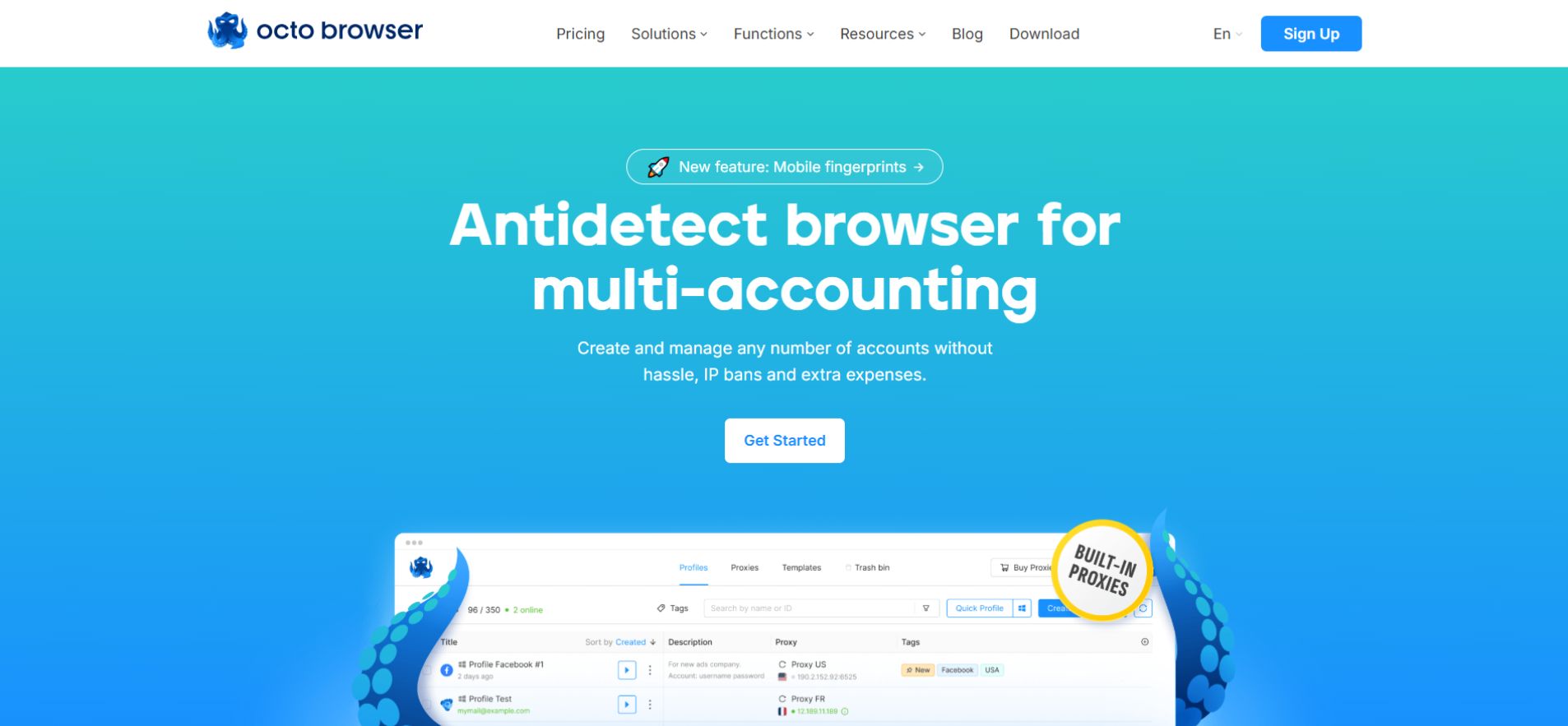
Octo Browser is a professional antidetect browser that allows users to create and manage multiple isolated browser profiles. Other antidetect solutions, such as Shadow Browser, offer slightly different approaches depending on your workflow.
Each profile behaves like a separate device with its own:
-
Browser fingerprint
-
Cookies and local storage
-
Operating system signals
-
Proxy and IP address
To websites, these profiles appear as distinct real users, not sessions from the same machine.
At its core, Octo Browser is designed to prevent cross-account linking caused by fingerprinting and shared session data.
How Octo Browser Works
Many users assume changing IPs is enough. It isn’t. Modern detection systems evaluate dozens of parameters simultaneously, including:
-
Canvas and WebGL fingerprints
-
Fonts, system languages, and locales
-
Screen resolution and GPU details
-
Audio context and timezone alignment
Octo Browser’s approach
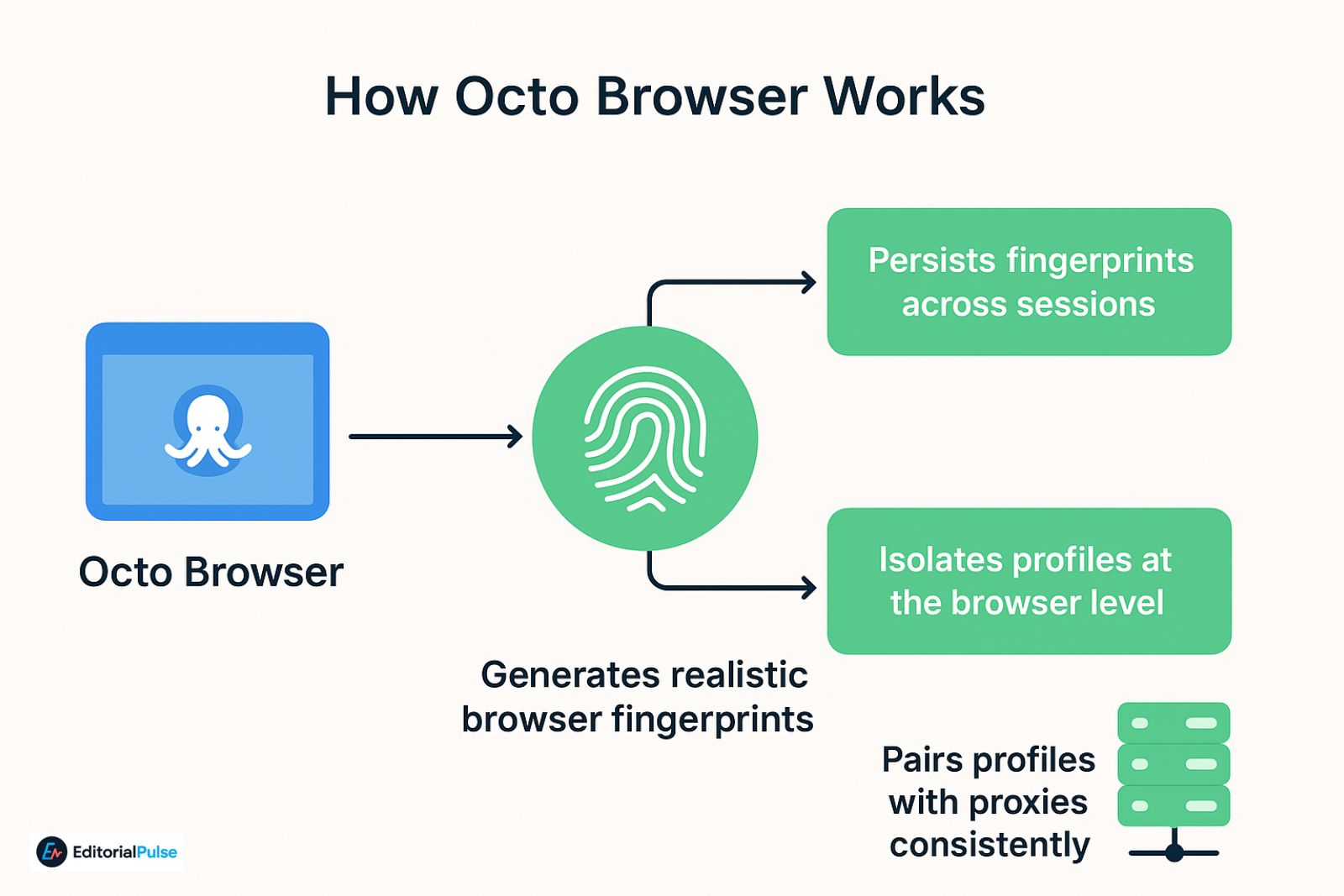
Octo Browser focuses on:
-
Generating stable, realistic browser fingerprints
-
Persisting those fingerprints across sessions
-
Isolating profiles at the browser level
-
Pairing profiles with proxies in a consistent way
Rather than aggressive randomization, the emphasis is on long-term consistency, which aligns better with how platforms detect suspicious behavior in 2025.
Also Check: Is Wave Browser Safe in 2025? Full Investigation & Removal Guide
Who Uses Octo Browser?
Octo Browser is not designed for casual browsing or personal email separation. It’s used by people who operate multiple accounts where restrictions cost time or money.
Common use cases
-
Affiliate marketers managing multiple offers
-
Media buyers running ad accounts
-
Crypto users separating wallets and dApps
-
E-commerce sellers operating multiple stores
-
Web scraping teams avoiding fingerprint blocks
-
Social media managers handling client accounts
Real-World Scenario
A media buyer running 15 Meta ad accounts uses Octo Browser to assign each account its own aged browser profile and residential proxy. Each profile is reused consistently for billing, creatives, and daily logins. Instead of rotating fingerprints frequently, the buyer prioritizes behavioral consistency, which results in fewer ad rejections and longer account lifespans.
Core Features of Octo Browser
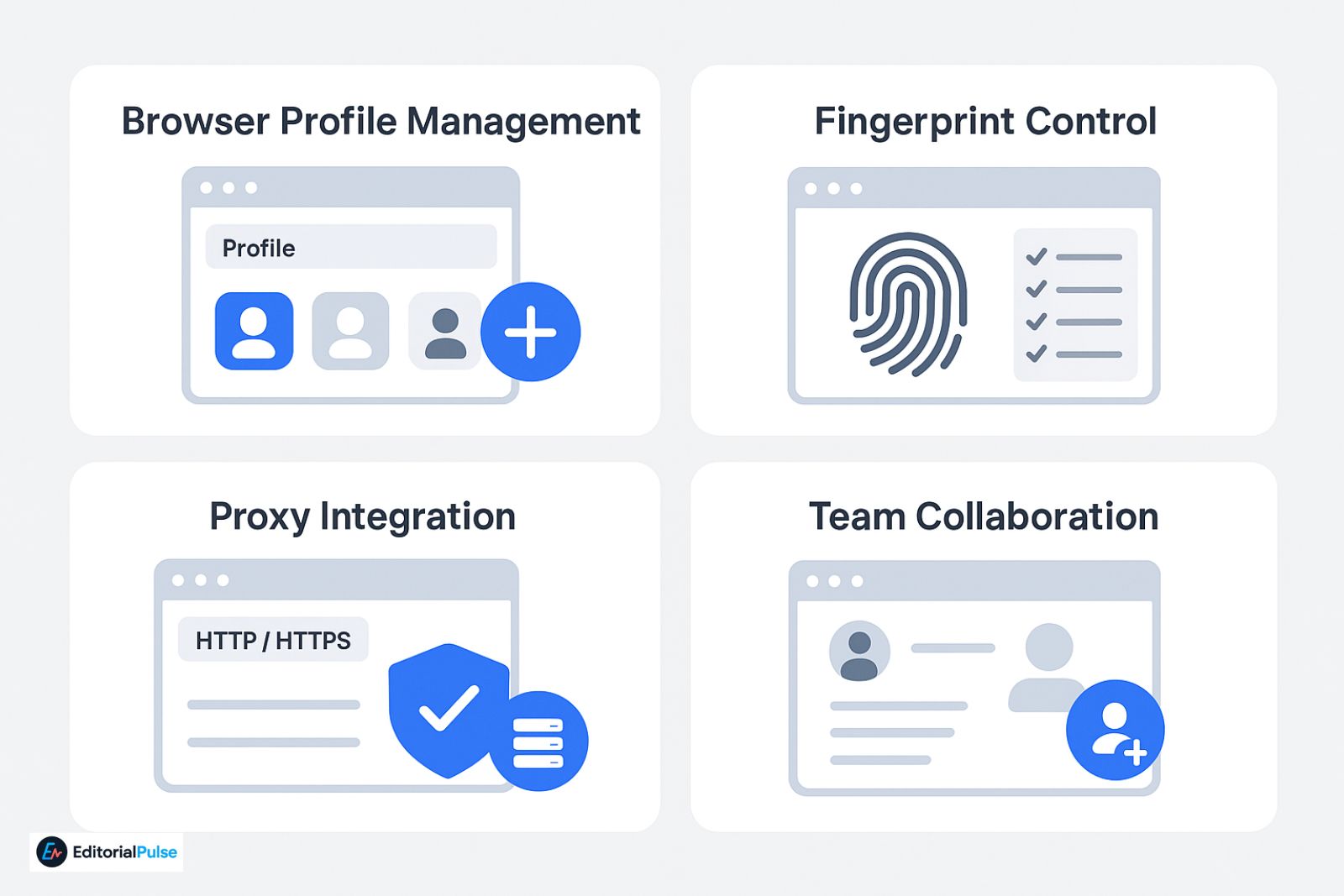
Browser Profile Management
Each profile functions as a standalone browser environment. Users can:
-
Create and clone profiles
-
Organize them with tags
-
Assign access to team members
Profiles are stored locally, not in the cloud—a key architectural detail discussed later.
Fingerprint Control
Octo Browser provides control over:
-
Operating system type
-
Browser version
-
Hardware indicators
-
Language and locale
The goal is to create believable, repeatable environments, not constantly changing fingerprints.
Proxy Integration
Octo Browser supports:
-
HTTP / HTTPS proxies
-
Residential, mobile, and datacenter IPs
Best practice is one proxy per profile, reused consistently.
Team Collaboration (Important Limitation)
Octo Browser includes team access and role permissions, but profiles are stored locally on the user’s machine. Sharing profiles typically requires manual transfer or synchronized environments.
This is sufficient for small teams, but it differs significantly from cloud-based systems.
Is Octo Browser Safe?
From a software standpoint, Octo Browser is generally considered safe. It is widely reviewed on platforms like G2, Trustpilot, and GetApp, and it does not inject ads or modify browsing traffic.

That said, safety depends heavily on how the tool is used.
Common user mistakes
-
Reusing one proxy across multiple profiles
-
Logging personal accounts into work profiles
-
Frequently regenerating fingerprints
-
Ignoring mismatches between proxy location, timezone, and language
Always review and comply with the terms of service of any platform you access. Tools like Octo Browser reduce technical detection risk but do not override platform policies.
Like any antidetect browser, Octo Browser is only as effective as the discipline of the user.
Is Octo Browser Free?
Octo Browser does not offer a permanent free plan, but it does provide:
-
A free trial (commonly 4 days on the Starter plan)
-
A Lite plan (around €10/month for up to 3 profiles)
This makes it more accessible than many enterprise-only tools, though meaningful scaling still requires paid plans.
The key takeaway: you can test Octo Browser without long-term commitment, but full workflows require a subscription.
Pricing Caveat: Proxy Slot Limitation
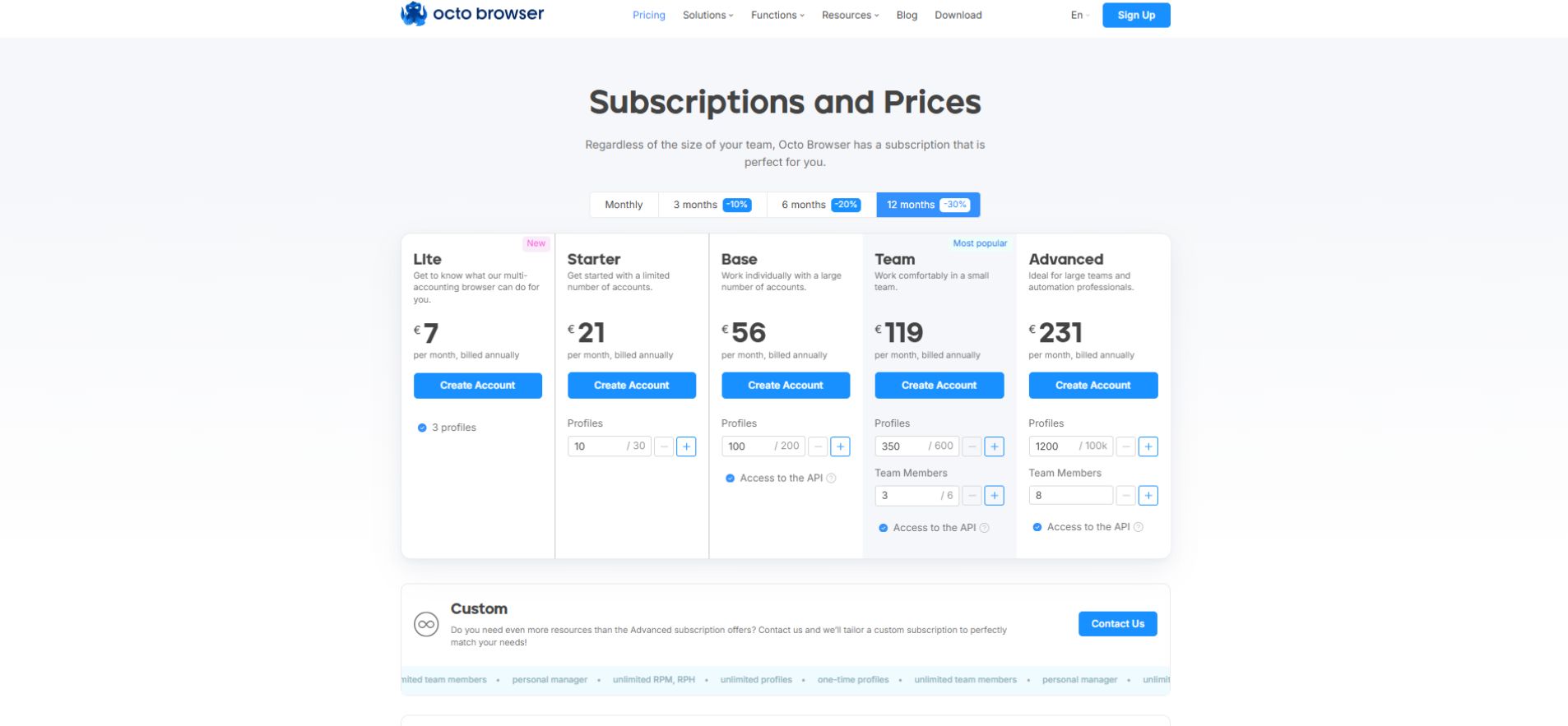
One important limitation affects new users:
The Starter plan (around €29/month) allows 10 profiles but only one proxy slot.
This means beginners may unintentionally reuse the same proxy across multiple profiles—one of the most common detection mistakes.
For proper isolation:
-
Each profile should ideally have its own proxy
-
This often requires upgrading plans or managing proxies carefully
This limitation is not obvious at first but is critical for price-sensitive users to understand.
Octo Browser vs Multilogin
| Feature | Octo Browser | Multilogin |
|---|---|---|
| Fingerprint stability | High | Very high |
| Profile storage | Local (manual sharing) | Cloud-based |
| Team & enterprise features | Limited seats, basic roles | Enterprise-grade, scalable |
| Automation compatibility | Supports common tools | Industry standard |
| Learning curve | Moderate | Higher for non-technical users |
| Pricing flexibility | More accessible | Higher, enterprise-focused |
| Best for | Solo users, small teams | Large agencies, enterprises |
Multilogin remains a market leader for large teams and enterprise environments, especially where cloud-based profile sharing and unlimited collaboration are required. Octo Browser, by contrast, appeals more to solo users and small teams who value lower cost and simpler workflows over enterprise scalability.
Common Mistakes New Users Make
Even with good tools, fundamentals matter.
Avoid these pitfalls
-
Using one proxy for multiple identities (often due to plan limits)
-
Constantly regenerating fingerprints
-
Mixing unrelated platforms in one profile
-
Treating Octo Browser as a VPN replacement
Rule of thumb:
One profile = one identity = one proxy = consistent behavior.
Beginner-Safe Setup Checklist
Before launching any account:
-
Create a new browser profile
-
Assign a dedicated proxy (if plan allows)
-
Match timezone, language, and OS to proxy location
-
Log into only one platform per profile
-
Reuse the same profile consistently
This alone prevents many beginner-level detection issues.
2025 Trends in Antidetect Browsing
Detection systems now emphasize:
-
Behavioral consistency over raw fingerprint uniqueness
-
Profile aging instead of constant resets
-
Cross-session and long-term signals
-
Early-stage mobile and cross-device correlation
To align with these shifts, Octo Browser has leaned toward fingerprint persistence and realistic profile aging, avoiding excessive parameter randomization. While it remains desktop-focused, its development reflects awareness of evolving detection models rather than outdated evasion tactics.
FAQs
Q. What is Octo Browser used for?
Octo Browser is used to manage multiple online accounts by isolating browser fingerprints, cookies, and session data. Each profile acts like a separate device, helping prevent account linking on platforms that use fingerprint detection.
Q. Is Octo Browser legal?
Yes, Octo Browser is legal software. However, users must follow the terms of service and policies of the platforms they access while using it.
Q. Does Octo Browser have a free version?
Octo Browser does not offer a permanent free plan. It provides a free trial and a low-cost Lite plan, allowing users to test features before committing to a full subscription.
Q. Can I use Octo Browser on Android?
No, Octo Browser currently works only on desktop operating systems such as Windows and macOS. It does not support Android or mobile environments.
Q. Is Octo Browser better than free antidetect browsers?
Yes, Octo Browser generally performs better than free antidetect browsers in terms of fingerprint stability, long-term reliability, and detection resistance, especially for professional use.
Q. Does Octo Browser replace a VPN?
No, Octo Browser does not replace a VPN. It is designed to work with proxies, allowing each browser profile to use a dedicated IP address.
Final Words
Octo Browser isn’t a shortcut or a guarantee—but it’s a capable tool for managing multiple online identities when used correctly.
Its strengths lie in fingerprint stability, accessibility, and disciplined workflows, while its limitations—local profile storage, proxy slot constraints, and smaller team scaling—are important to understand upfront.
For solo users and small teams, it can be a practical choice in 2025. For large enterprises, more cloud-native platforms may be a better fit.
The outcome depends less on the tool—and more on how carefully you use it.
Related: Earls Browser (2025): What It Is, If It’s Safe, and the Best Alternatives
| Disclaimer: The information in this article is for educational and informational purposes only. We are not affiliated with Octo Browser or its developers. Octo Browser is a tool, and its effectiveness depends on user practices and compliance with the terms of service of the platforms you access. We do not encourage or endorse any activity that violates platform rules, laws, or regulations. Always review official terms and use tools responsibly. |