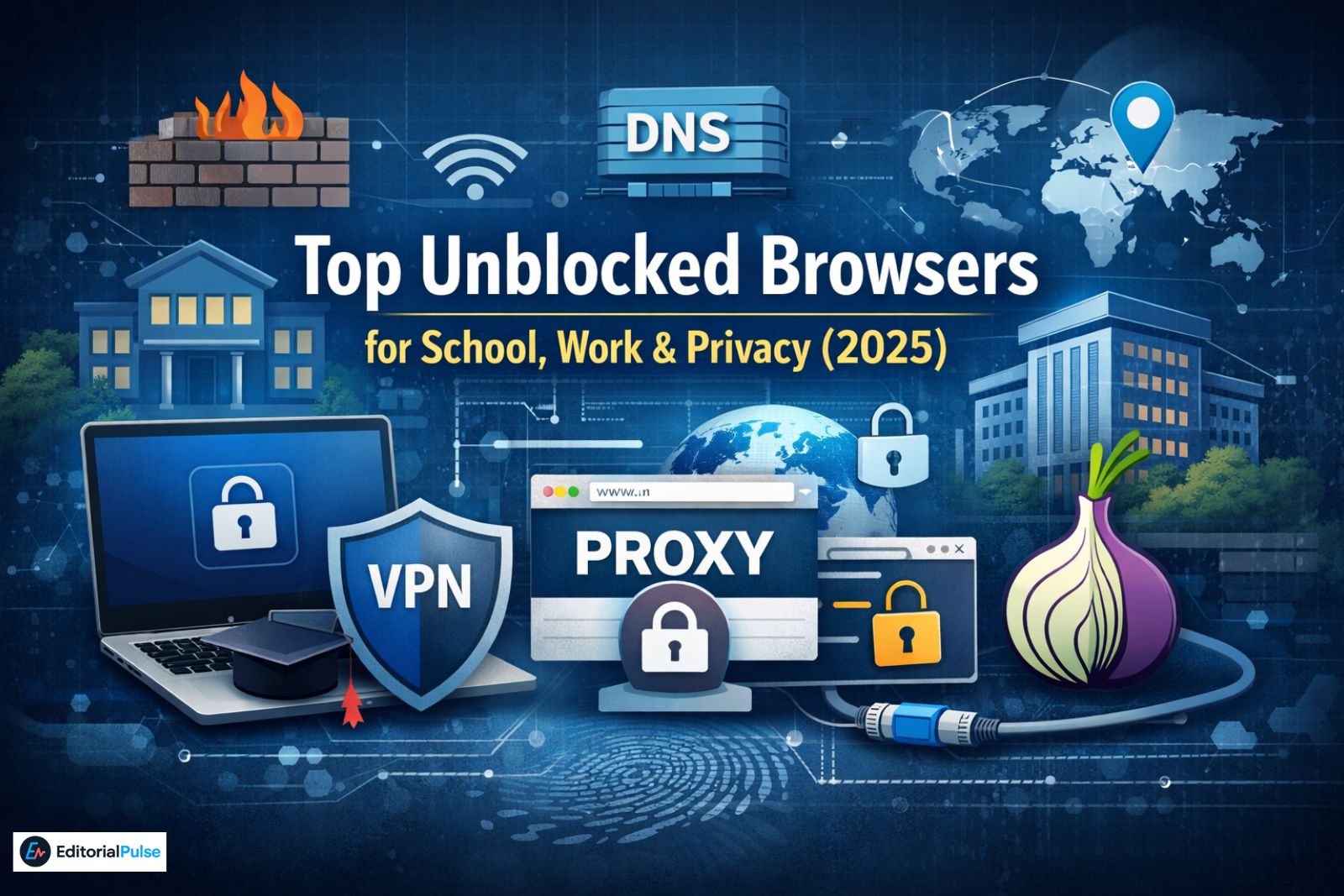
In 2025, millions of students, professionals, and casual users face network restrictions that block websites for education, productivity, or safety reasons. From school Chromebooks to office networks, users often search for “unblocked browsers” hoping to bypass these restrictions. Unfortunately, many guides exaggerate what browsers can do.
Browsers themselves are rarely what gets blocked. Verified network theory shows that firewalls, DNS filters, and device policies are what restrict access—not the local software—unless the device is managed with an app whitelist. Understanding the technical mechanics behind network blocks is essential for safe and effective access.
This guide is designed as a complete pillar resource for 2025. You’ll learn:
-
What unblocked browsers really are
-
How network restrictions work
-
Which browsers and tools can actually help
-
Chromebook-specific considerations
-
Legal, safety, and privacy best practices
-
Trends shaping unblocked browsing in 2025
Understanding “Unblocked Browsers”
The term “unblocked browser” is widely misunderstood. Many users assume that installing a different browser automatically bypasses restrictions. This is a myth.
A truly unblocked browsing experience relies on how traffic is routed and encrypted, rather than on the browser itself. This can include:
-
Proxy servers
-
VPNs (Virtual Private Networks)
-
Secure DNS or DNS-over-HTTPS (DoH)
-
Multi-node routing through networks like Tor
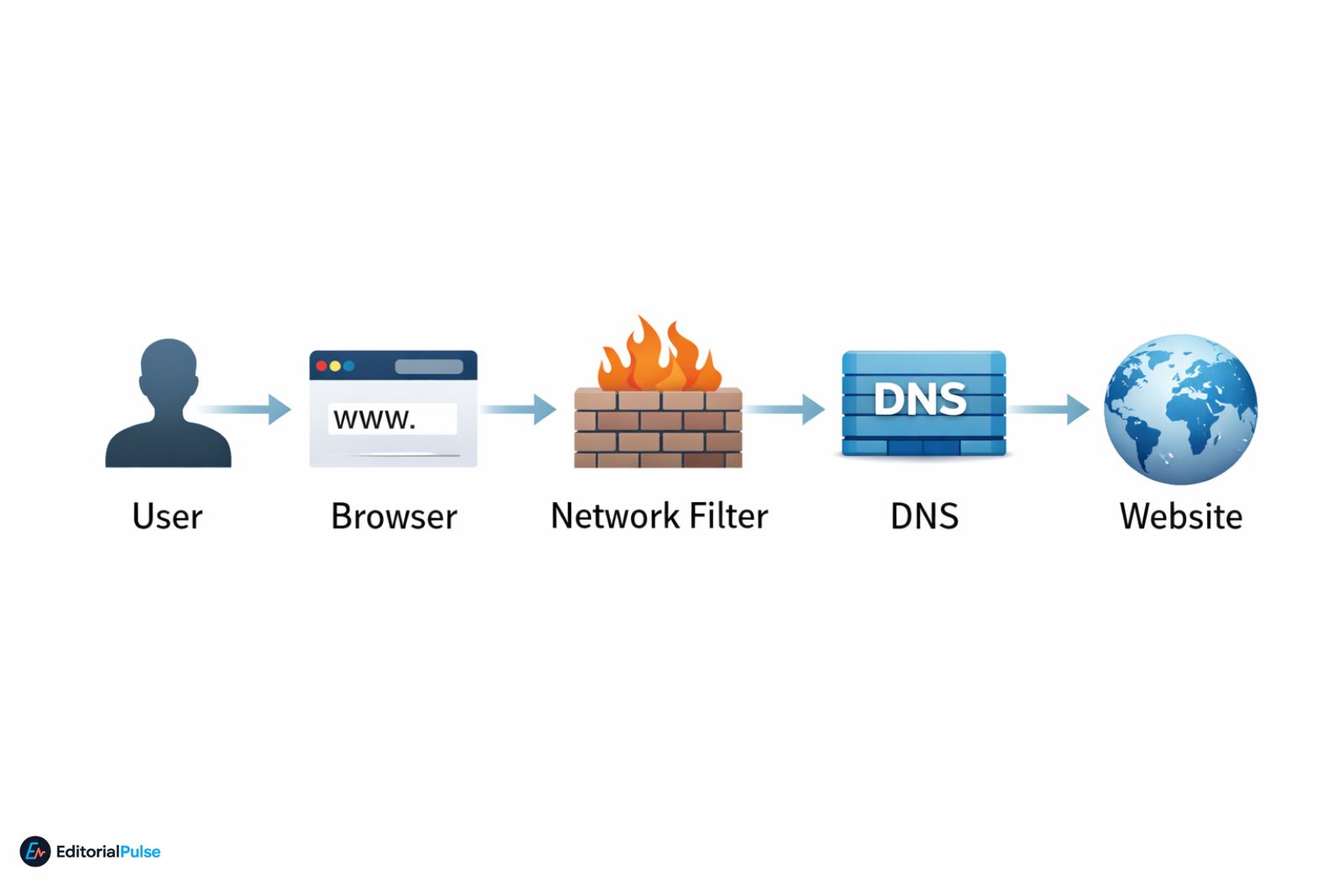
Verified Claim: Browsers themselves are rarely what gets blocked. Network firewalls examine traffic destinations, not software names, unless the device enforces a whitelist.
How Website Blocking Works
Network-Level Filtering
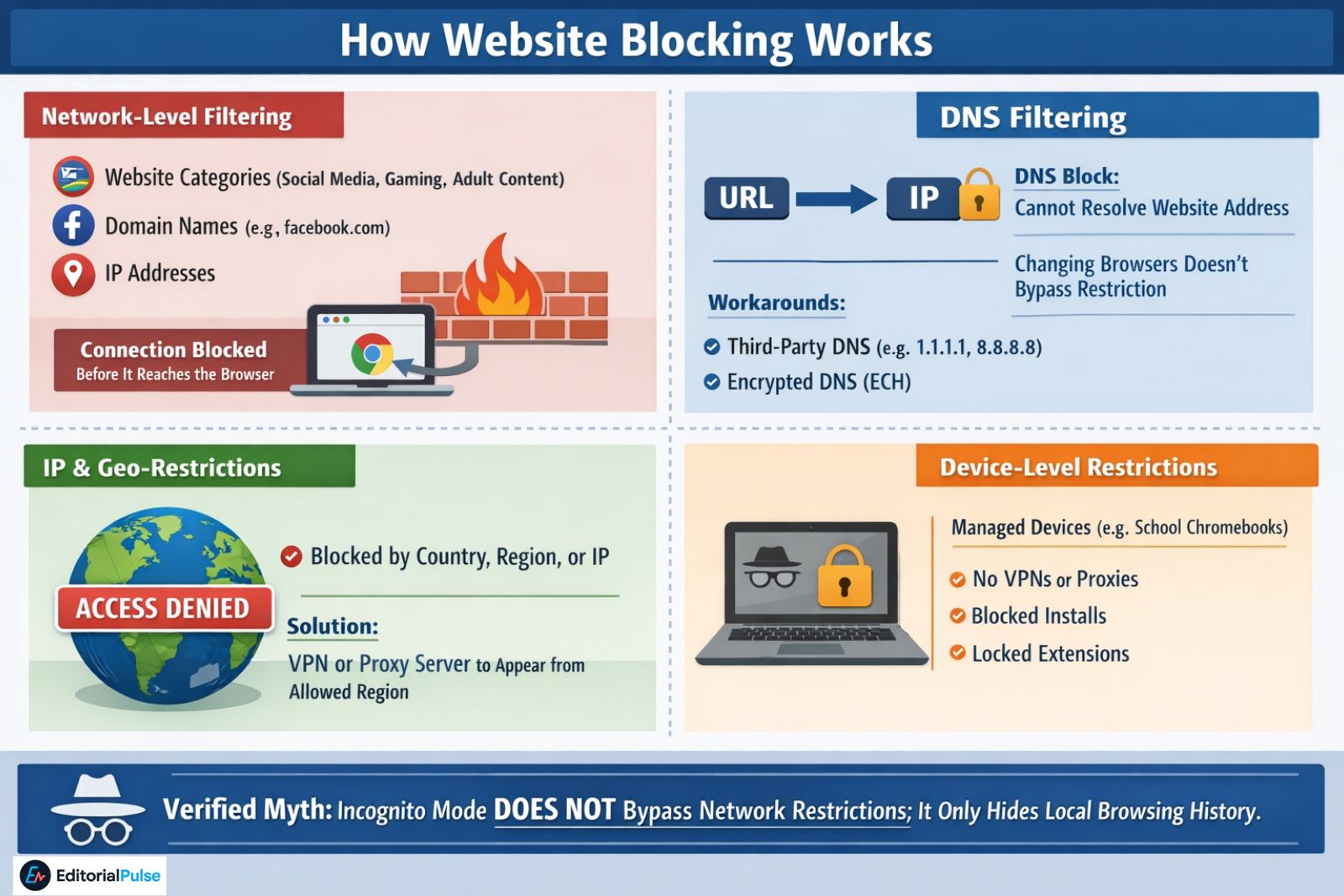
Most restrictions in schools, workplaces, or public networks use firewalls to enforce rules based on:
-
Website categories (social media, gaming, adult content)
-
Domain names (e.g.,
facebook.com) -
IP addresses
Effect: The network prevents the connection before it reaches the browser.
DNS Filtering
The Domain Name System (DNS) converts URLs into IP addresses. If DNS is filtered:
-
The browser cannot resolve the website’s address
-
Changing browsers does not bypass the restriction
Workarounds include:
-
Third-party DNS servers: Cloudflare (1.1.1.1), Google DNS (8.8.8.8), NextDNS
-
Encrypted Client Hello (ECH) to prevent DNS inspection
IP and Geo-Restrictions
Some websites block users by:
-
Country
-
Region
-
Hosting IP
By routing traffic through a VPN or proxy server, users can appear to originate from allowed regions.
Device-Level Restrictions
Managed devices like school Chromebooks:
-
Block unauthorized installations
-
Disable VPNs and proxy apps
-
Lock extension installs
Effect: Browser switching alone is ineffective.
Verified Myth: Incognito mode does not bypass network restrictions; it only hides local browsing history.
Also Check: Anti Detect Mobile Browser (2025): Android vs iOS, Real Solutions Explained
Technical Methods to Enable Unblocked Access
All effective unblocked browsing uses one or more of the following:
| Method | How It Works | Examples | Pros | Cons |
|---|---|---|---|---|
| Proxy Routing | Routes traffic through remote server | Browser.lol, UnblockedBrowser.com | Quick access, no installation | Logging risk, limited encryption |
| VPN Encryption | Encrypts traffic and masks destination IP | Opera VPN, Firefox + VPN | Strong privacy, bypass geo-blocks | Can be blocked on managed networks |
| DNS-over-HTTPS (DoH) | Resolves domains through secure DNS | Cloudflare 1.1.1.1, NextDNS | Evades DNS filtering | Does not bypass IP blocks |
| Multi-Node Routing | Routes traffic through multiple encrypted nodes | Tor Browser | Strong anonymity | Slow, sometimes blocked |
| Cloud-Based Browsers | Browser runs entirely in the cloud | Puffin, Browser.lol | Works on locked devices | Trust and privacy concerns |
Browsers and Tools (2025 Verified)
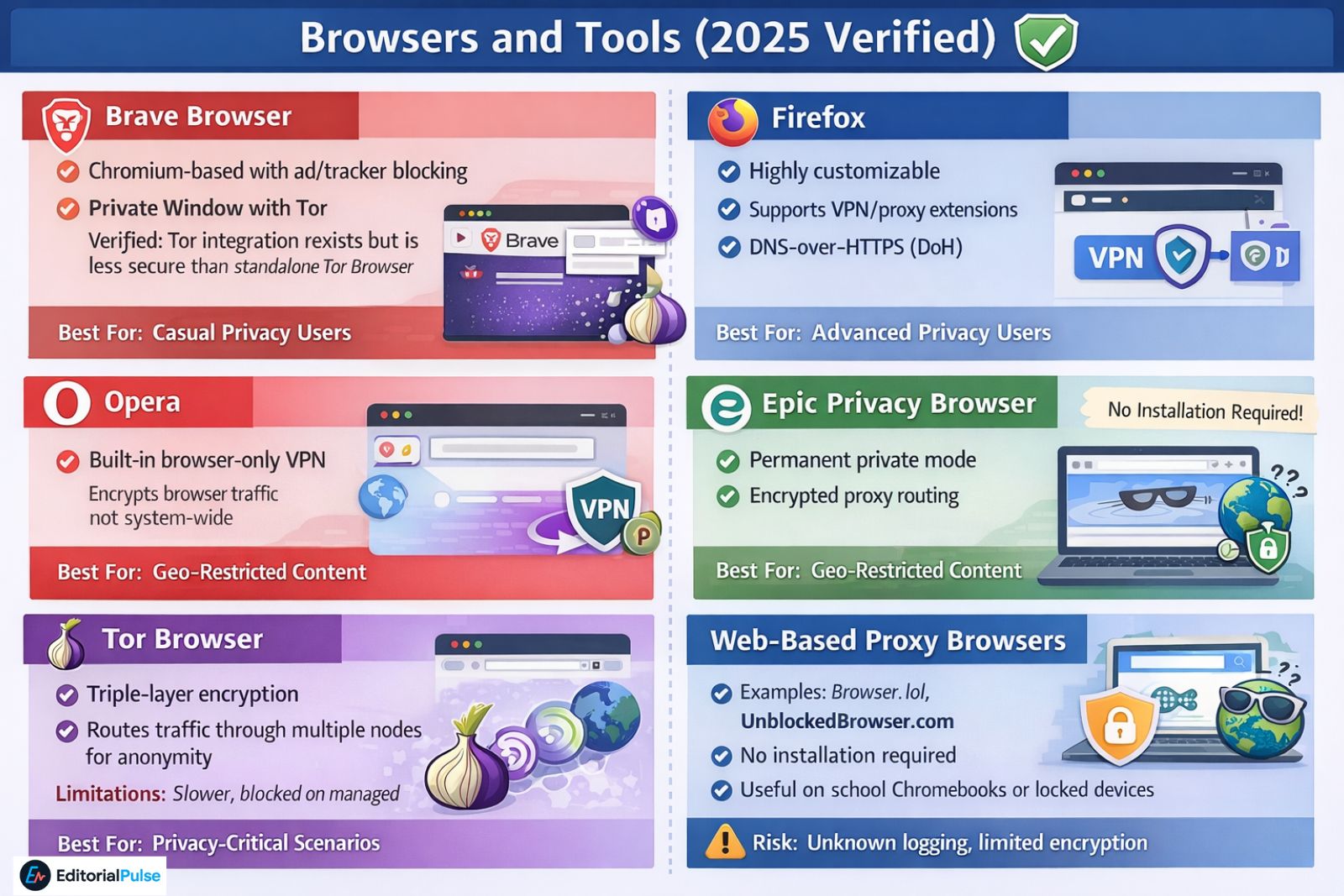
Brave Browser
-
Chromium-based with ad/tracker blocking
-
Private Window with Tor
Verified: Tor integration exists but is less secure than standalone Tor Browser -
Best for: Casual privacy users
Firefox
-
Highly customizable
-
Supports VPN/proxy extensions
-
Best for: Advanced users requiring precise network routing
Opera
-
Built-in browser-only VPN
Verified: Encrypts only browser traffic, not system-wide -
Best for: Geo-restricted content at home or travel
Epic Privacy Browser
-
Permanent private mode
-
Encrypted proxy routing
-
Best for: Privacy-focused browsing
Tor Browser
-
Triple-layer encryption
-
Routes traffic through multiple nodes for anonymity
-
Best for: Privacy-critical scenarios
Limitations: Slower, blocked on managed networks
For users needing advanced privacy, anti-detection, or multi-account management, specialized browsers like Kameleo Browser offer additional control beyond standard privacy browsers.
Web-Based Proxy Browsers
-
Examples: Browser.lol, UnblockedBrowser.com
-
No installation required
-
Useful on school Chromebooks or locked devices
-
Risk: Unknown logging, limited encryption
Quick Reference
| Need | Best Tool | Why |
|---|---|---|
| School/Work Lock | Web-based Proxy | No installation required |
| Privacy/Anonymity | Tor Browser | Triple-layer encryption |
| Geo-Blocks | Opera or Brave | Built-in toggles, beginner-friendly |
| Advanced Control | Firefox + Add-ons | Highly customizable |
Chromebook-Specific Guidance
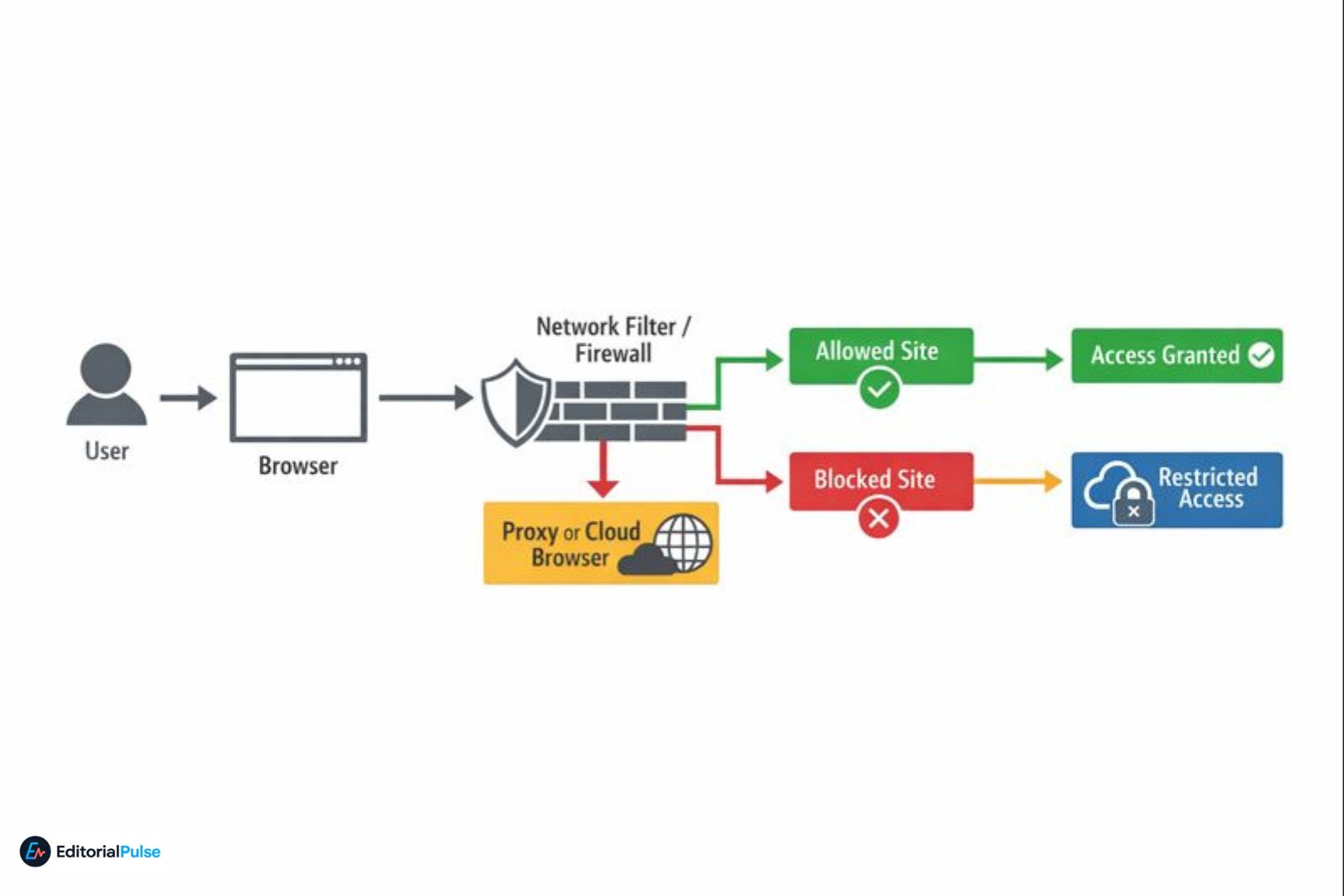
Why Chromebooks Are Different
-
Managed by administrators
-
App installs are limited
-
VPN or proxy apps often blocked
Recommendations
-
Use web-based proxy browsers for quick access
-
Change DNS only if allowed by admin
-
Avoid VPN or proxy installation attempts on locked devices
2025 Trends in Unblocked Browsing
-
Manifest V3: Chrome extensions now limited in capability; affects blockers/unblockers
-
Encrypted Client Hello (ECH): Enhances DNS privacy, making filtering harder
-
AI-based network traffic filtering: Sophisticated detection of VPN/proxy patterns
-
Browser fingerprinting enforcement: Sites detect anonymization attempts
-
Cloud-based browsers growth: Browser.lol, Puffin allow bypassing hardware locks
Verified Trend: Cloud-based browsers are becoming the primary method for bypassing strict device restrictions.
Safety, Privacy, and Legal Considerations
Privacy & Safety
-
Free proxies may log data
-
Use HTTPS exclusively
-
Avoid entering personal accounts on untrusted proxies
-
Prefer well-known VPN or Tor setups
Legal & Policy
-
Bypassing school or work blocks may violate policies
-
Consequences include account suspension or disciplinary action
-
Always check network rules before attempting bypass
Also Check: Earls Browser (2025): What It Is, If It’s Safe, and the Best Alternatives
Common Myths
| Myth | Reality |
|---|---|
| Incognito mode bypasses blocks | False; only hides local history |
| Switching browsers bypasses restrictions | False; network-level blocks remain |
| Free VPNs are automatically safe | False; logging and privacy issues are common |
| School Chromebooks can easily be unlocked | False; managed policies block installations and proxies |
Methods vs Effectiveness
| Method | Works on School Wi-Fi | Safe | Speed |
|---|---|---|---|
| Browser Switch | ❌ | ✅ | Fast |
| Web Proxy | ✅ | ⚠️ | Medium |
| VPN | ❌ (often blocked) | ✅ | Fast |
| Tor | ⚠️ | ✅ | Slow |
FAQs
Q.What is the best unblocked browser in 2025?
There is no single “best” unblocked browser for every situation.
-
Web-based proxy browsers work best on school or work networks.
-
VPN-enabled browsers help bypass geo-restricted websites.
-
Tor Browser is best for privacy and anonymity.
The right choice depends on the type of restriction and device you’re using.
Q. Can changing browsers unblock websites?
No. Simply switching browsers does not unblock websites.
A website is only accessible if the browser routes or encrypts traffic differently, such as through a proxy, VPN, or Tor. Network-level blocks remain regardless of browser choice.
Q. Do unblocked browsers hide your IP address?
Only certain unblocked browsers hide your IP address. Browsers that use proxies, VPNs, or the Tor network can mask your real IP. Standard browsers without these features do not hide your IP.
Q. Are unblocked browsers safe to use?
Some unblocked browsers are safe, but many are not.
Safety depends on:
-
Encryption quality
-
Data-logging policies
-
Transparency of the service
Free proxy browsers may log activity or inject ads, so avoid using them for personal accounts.
Q. Which browser has no restrictions?
No browser is completely restriction-free.
Website access limits are enforced by networks, firewalls, DNS filters, and device policies, not by the browser itself.
Q. How do cloud-based browsers unblock websites?
Cloud-based browsers run on remote servers instead of your device.
Your screen is streamed from the cloud, so local network restrictions, device blocks, and app limitations are bypassed.
Q. Can you use a VPN on a school Chromebook?
Usually no.
Managed Chromebooks often block VPN installations and extensions. In most cases, web-based proxy browsers or cloud browsers are the only workable alternatives—if permitted by school policies.
Conclusion
“Unblocked browsers” are not a magic solution. Effective access relies on understanding where blocks occur and how traffic can be routed or encrypted safely.
Proxy browsers, VPN-enabled browsers, Tor, and cloud-based browsers all have scenarios where they work best. Always consider safety, privacy, and policy compliance before attempting bypasses.
Knowledge—not shortcuts—is the true key to responsible, unblocked browsing in 2025.
Related: Is Leaf Browser Safe? Real Version vs Clones vs Alpha Explained (2025 Guide)
| Disclaimer: This content is for informational purposes only. It does not encourage violating school, workplace, or network policies. Networks and devices enforce website access restrictions, and users must follow all applicable rules and laws. Use third-party tools at your own discretion and review their privacy practices before use. |